The Shopify Testimonial App for Text & Video Testimonials
Collect text and video testimonials from your customers with one link. Embed them on any Shopify store. No app install. No store slowdown.
100% free to start. No credit card required. No Shopify app install.
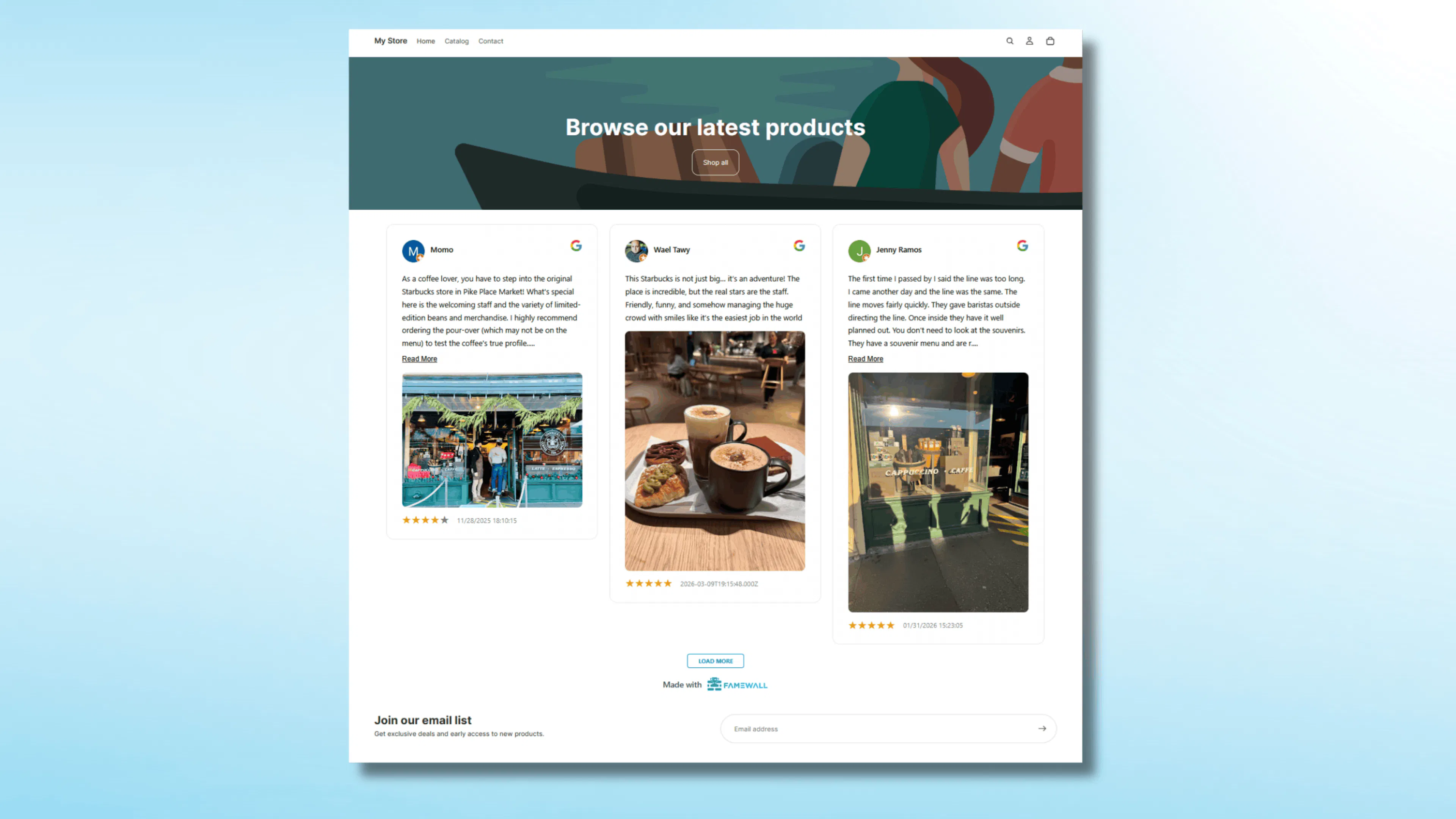
Why most Shopify testimonial apps frustrate store owners
3 patterns we hear from store owners
Monthly fees that scale with your store
Most Shopify review apps charge $20 to $99 a month, and the price jumps every time you cross a review count or order tier. 2 years in, you have paid more for the app than for some of your inventory.
App overhead that slows your store
Every Shopify app adds bloat and background processes to your store. A testimonial app that loads a heavy framework on a page can hurt your SEO and checkout speed.
Stuck with text-only product reviews
Shopify App Store testimonial apps are mostly star-rating, text-on-product-page tools. They are not built for video testimonials, or testimonials that live on a homepage, a cart drawer, or a dedicated reviews page.
Collect video testimonials from Shopify customers without the awkward back-and-forth
Send one branded link after a customer buys. They open it on their phone or laptop and record a video right in the browser. No app to download. No scheduling. No reshoots.
Your customers are already on their phone right after a delivery arrives. That's the moment a five-minute video testimonial happens. Famewall captures it there.
The best Shopify stores use video on the product page because it does the selling for them. Text testimonials build trust. Video closes the sale.

Embed testimonials on any Shopify page in 5 minutes
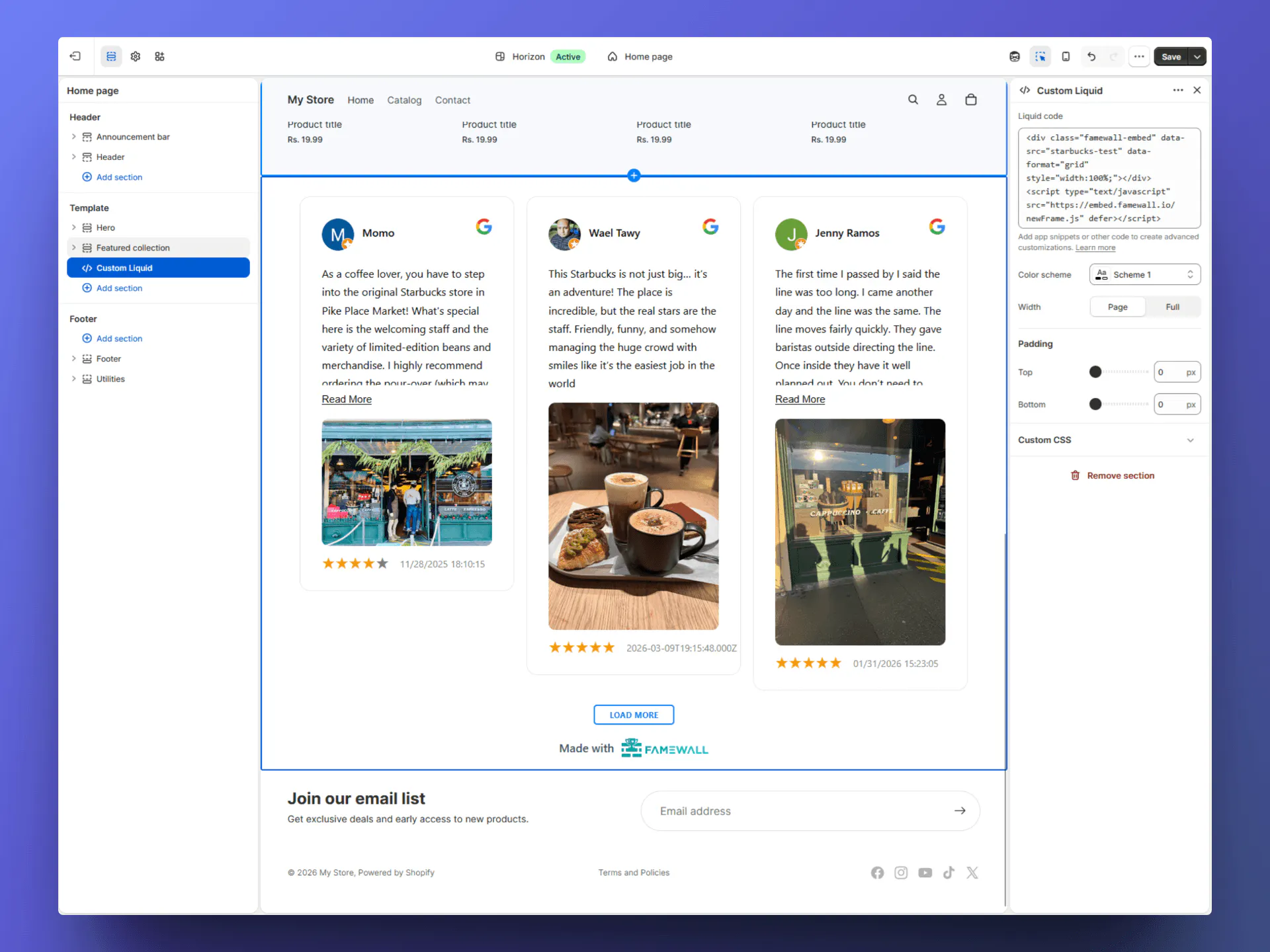
Paste a short embed snippet into a Custom Liquid section.
Your testimonials appear on the homepage, product pages, the cart, a dedicated reviews page, or all of them at once.
No Shopify app to install. No app-store review. No background processes running in your store. The widget loads light, so your SEO scores stay clean.
Works with Dawn, Debut, Sense, Brooklyn, and any custom Shopify 2.0 theme. The widget inherits your theme fonts, so it looks like it was built for your store.
Bring in the reviews you already have on other tools
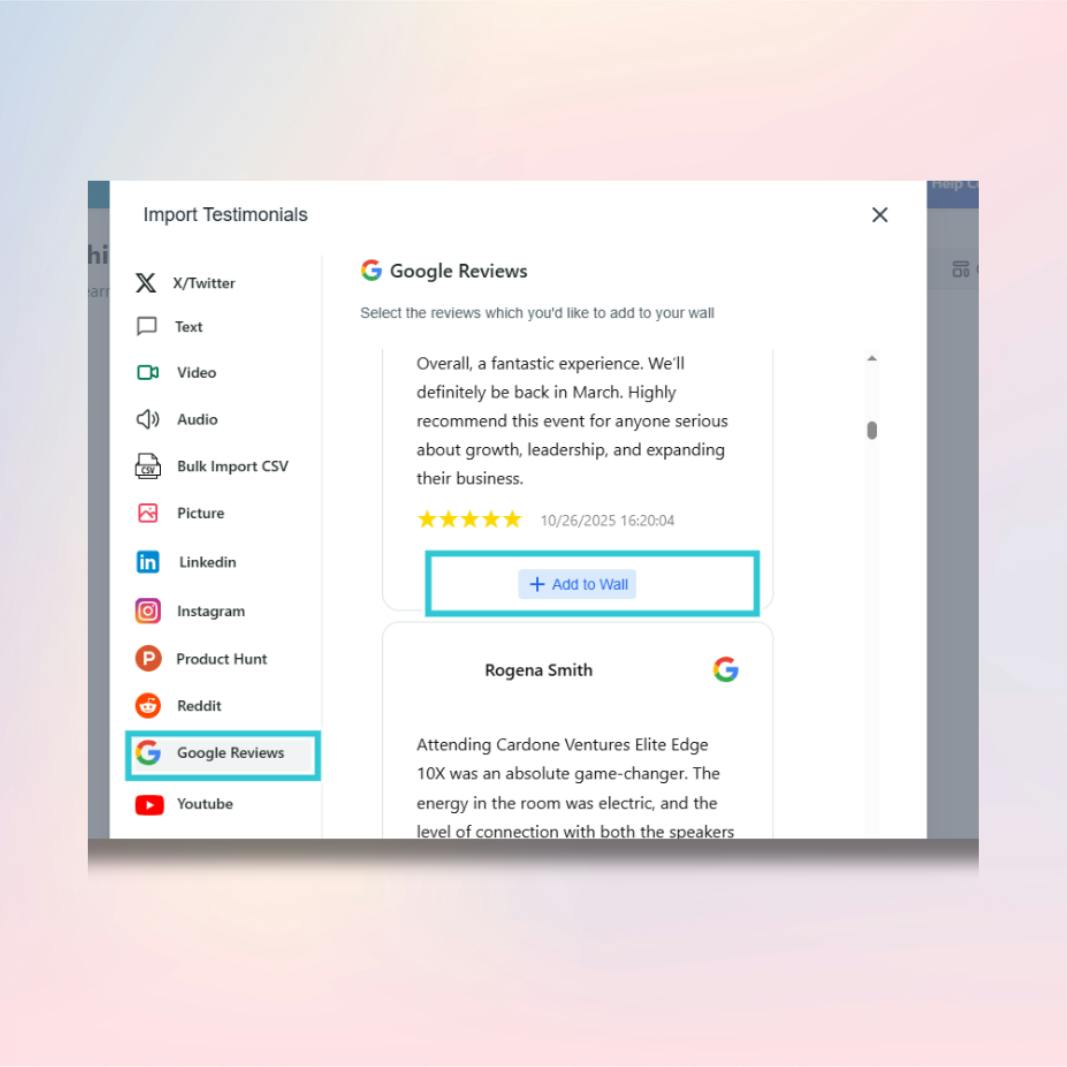
You probably already have reviews sitting in another tool, in a spreadsheet, or buried in your email inbox. Famewall pulls them into one wall so they actually get seen.
Import from Judge.me, Loox, Yotpo, Stamped, Google reviews, AliExpress orders, Etsy reviews, Trustpilot, and twenty other sources.
If you are switching from a paid Shopify review app, you do not lose your old testimonials. Import them once and embed them where you actually need them.
Match your Shopify theme without touching code
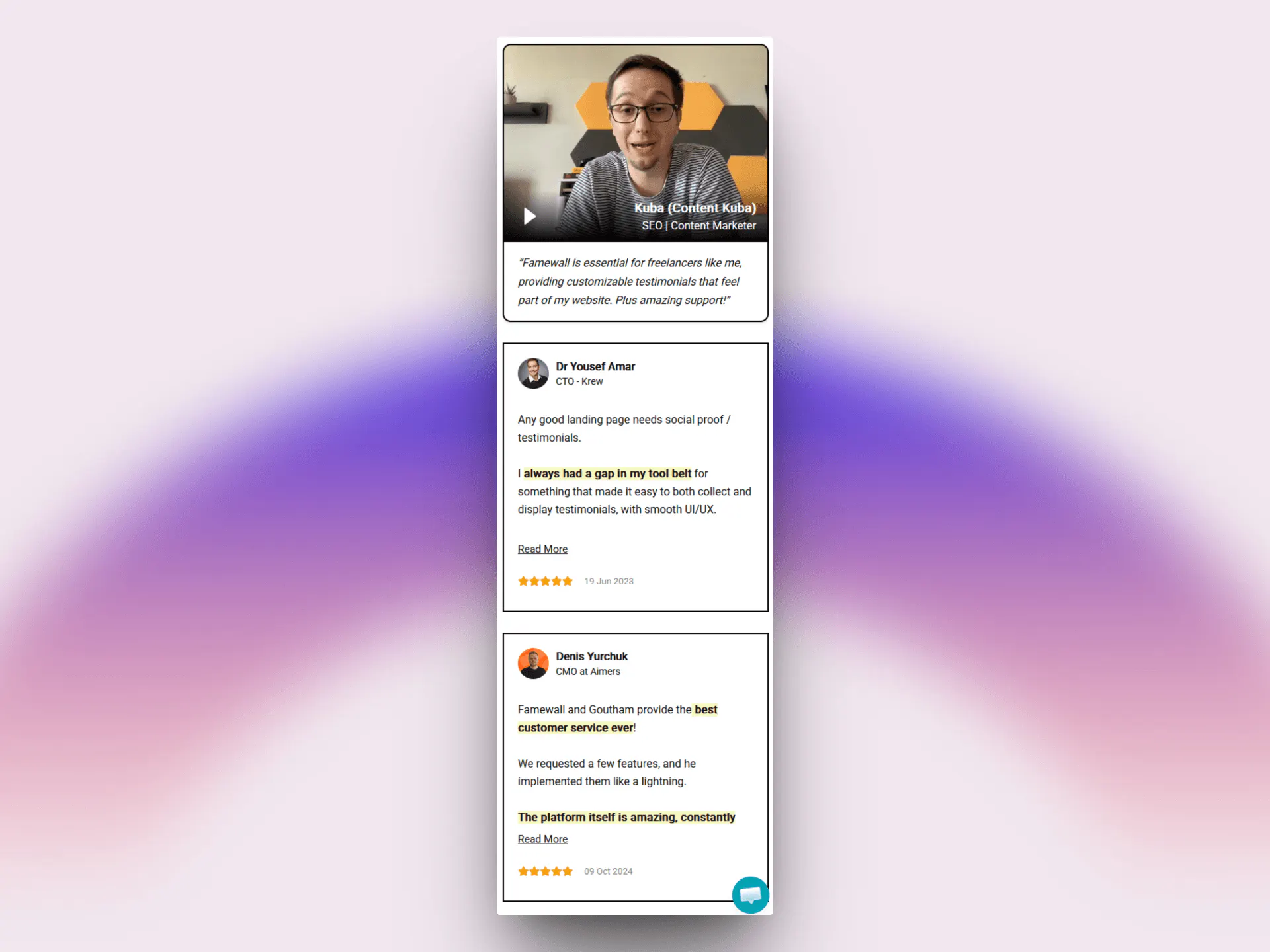
Pick your widget colors, fonts, card style, border radius, dark mode, and star rating colors from the Famewall dashboard. The widget updates instantly on your Shopify store.
Your widget will feel like part of your store, not a third-party plugin bolted on the side. Famewall makes that the default.

Designed for mobile because most Shopify traffic is mobile
More than 70% of Shopify store traffic comes from phones. A testimonial widget that looks broken on mobile is invisible to most of your customers.
Every Famewall layout is built mobile-first. Carousels swipe. Grids stack. Video testimonials play inline without forcing a full-screen takeover. Star ratings stay readable at small sizes.
The same widget runs on desktop, tablet, and mobile without needing a second configuration. No separate mobile setup to maintain.
How to add Famewall testimonial app to your Shopify store
3 steps. No code beyond pasting an embed. No Shopify app install.
- 01Step 1 of 3
Send one collection link to your customers
Create a Famewall collection page, write the prompts you want customers to answer. Share the link in your post-purchase email, on your thank-you page, or directly by SMS. Customers open it on any device. They can fill the form or record a short video without downloading anything Famewall stores it and notifies you
Create free account 01
01 - 02Step 2 of 3
Approve the testimonials worth showing
Every testimonial lands in your Famewall dashboard for approval first, unless you enable auto-approval Pick the ones that fit your store. Skip the ones that do not. Nothing is published without your sign-off.
 02
02 - 03Step 3 of 3
Paste the embed in your Shopify theme
Open your Shopify admin, go to Online Store > Themes > Customize, add a Custom Liquid section where you want testimonials, and paste the Famewall embed code. Save the theme and your testimonials are live.
 03
03
That is the whole flow. Most Shopify owners finish in under 5 minutes.
Get Started for FREENo credit card required
Where Shopify stores put Famewall testimonials
Different placements do different jobs. Pick the ones that match how your store sells.
Homepage hero or strip
Show your strongest testimonials above the product grid so first-time visitors see proof before they scroll.
Product pages (PDP)
Embed product-specific testimonials directly under the buy button. This is where Shopify stores see the biggest conversion lift, especially with video.
Cart drawer or cart page
Show a short carousel of testimonials in the cart to reduce abandonment. Customers see real reviews while they review their order.
Dedicated reviews page
Build a full Wall of Love page that lives at /reviews or /testimonials on your store. Good for SEO and great for sharing in email campaigns.
Post-purchase thank-you page
Show recent video testimonials on the thank-you page to reinforce buying confidence and prompt upgrades or upsells.
Want the step-by-step embed walkthrough? Read the Shopify testimonial widget guide or the full Shopify install tutorial.
Famewall vs other Shopify testimonial tools
What changes when you skip the Shopify App Store and use a tool that lives outside of it.
| Feature | Famewall | Other tools |
|---|---|---|
| Pricing model | Free plan, then flat tiers | $15-99/mo per app |
| Setup | Paste embed, no app install | App install + setup |
| Video testimonials | Text + video, browser recording | Usually text only |
| Theme compatibility | Any Shopify theme, no app needed | App-store dependent |
| Store speed impact | Under 20KB, async load | Heavy app overhead |
| Review approval control | Approve every testimonial | Often auto-publish |
| Import from other platforms | Judge.me, Loox, Yotpo, Google and more | Usually one source |
| Embed locations | Homepage, PDP, cart, anywhere | App-defined slots |
See how Famewall stacks up against the wider category on the testimonial software comparison.
Loved by Shopify store owners & businesses worldwide 💙
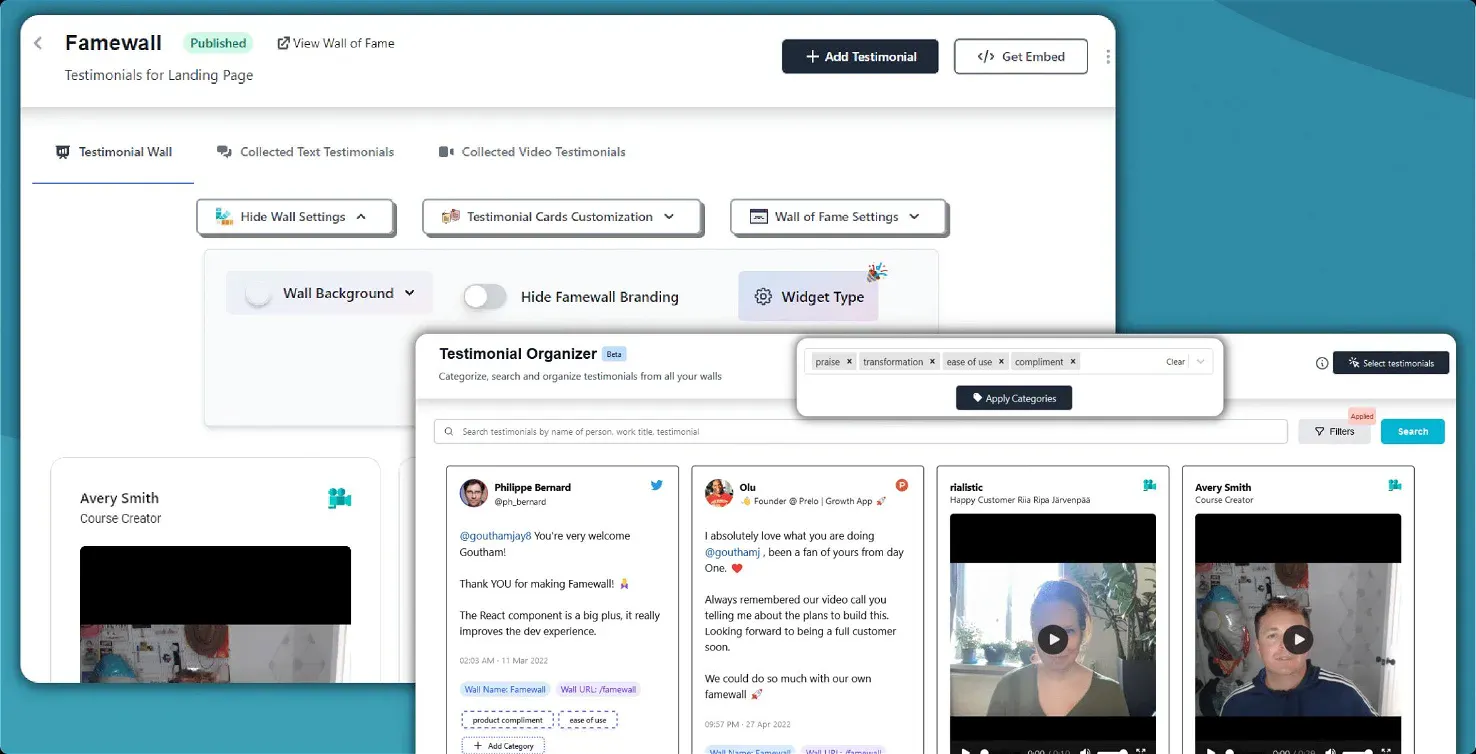
One dashboard for every testimonial your Shopify store collects
Text reviews, video testimonials, imported reviews from other platforms, and social proof from Twitter and LinkedIn all live in one wall.
Approve what shows up. Tag testimonials by product.
Rearrange the strongest ones to the top. Hide anything that does not fit.
Your Shopify store only displays what you approve.
Customer Case Studies 🤩

People like to read real-life customer stories and Famewall allows me to share them in the most effortless way possible"

And the best part is, it's SO easy to update on my website.
Also Famewall's customer support is super fast!"

And I’m always preferential to a product where I can go directly to a creator and ask for new features.
That is always a HUGE bonus."
Trusted by Shopify stores in every niche










Frequently asked questions
Everything Shopify store owners ask before switching to Famewall.
No. If you can copy and paste a snippet of code, you can add Famewall. In your Shopify admin you go to Online Store, then Themes, then Customize, add a Custom Liquid section, and paste the embed. Most store owners finish in under 5 minutes.
Yes. You share one Famewall link in your post-purchase email or thank-you page. Customers record a video right in their browser on phone or desktop. No app to download. You approve the videos before they appear on your store.
Yes. The widget works with every Shopify Online Store 2.0 theme including Dawn, Debut, Sense, Brooklyn, and any custom theme. You add a Custom Liquid section or paste the snippet into an existing template. The widget inherits your theme fonts so it looks native.
Anywhere a Custom Liquid section can go. The most common spots are the homepage, individual product pages, the cart drawer, a dedicated reviews page, and the post-purchase thank-you page. You can show different widget styles on different pages.
Yes. The embed is the same on Shopify Basic, Advanced, and Plus stores. For Shopify Markets, you can use one Famewall wall across regions or build region-specific walls and embed each on the matching localized storefront.
Add the Famewall collection link to your Shopify post-purchase email, your order confirmation, or your shipping email through your email tool. Klaviyo, Mailchimp, Omnisend, and Shopify Email all support adding the link. You can also drop it on the thank-you page.
Have more questions? We're happy to help.
Contact us at contact@famewall.io