How to Add Testimonials to Wix

Wix is a great website builder for creators & entrepreneurs who would like to grow their business
Famewall integrates with the Wix website in just a few clicks where you can add social proof to your website & as a creator drive more sales for your products.
The testimonials increase your brand reputation and start working as a marketing engine convincing your customers to buy from you
Embedding the testimonials wall of fame on Wix just takes 2 minutes. The best part is that they appear on-brand as Wix testimonials while also increasing conversions to your website
There are two ways to do it.
The Famewall app from the Wix App Market is the quickest: add the widget, paste your Wall URL and publish.
If you would rather not install an app, you can paste an embed code into a Wix HTML element instead. Both are below.
Method 1: Using the Wix plugin for Famewall
The Famewall Reviews app is free.
You drop the widget onto a page, paste your Wall URL, and your reviews appear.
There is no embed code to copy and nothing to paste into an HTML box, and because the widget renders inside your page, the review text is real text that search engines can read.
Step 1: Install the Famewall Reviews app
Open the Famewall Reviews listing and click Add to Site.
Pick the site you want it on and Wix installs it for you. The app is free and asks for no permissions.

Step 2: Add the widget to your page
In the Wix editor, click Add, then Installed Apps (called App Widgets in some editors), then Famewall Reviews. Drag it to wherever you want the reviews to sit.

The widget shows an example wall as soon as you drop it, so you can see the spacing and sizing on your page before you have connected anything of your own.

Step 3: Copy your Wall URL from Famewall
In your Famewall dashboard, open the wall you want to show and go to the Testimonial Widget tab.
Your Wall URL is the link in the address bar, in the form app.famewall.io/wall/widget/your-wall. Copy the wall URL and the widget picks the wall out of it.

Step 4: Paste your Wall URL into the widget settings
Back in the Wix editor, select the widget and click the Settings gear on its action bar.

Paste your Wall URL into the Wall URL field.
The widget updates on the canvas as you type, so you can check you have the right wall straight away.
Then pick a layout - wall, carousel or slider and a light or dark theme, or leave the theme alone to use whatever you already set in Famewall.

Step 5: Publish
Publish the site and the reviews are live.
The widget grows to fit however many you have, so you do not need to resize anything when the wall gets longer.

Approving a new testimonial in Famewall shows up on your Wix site without republishing, because the widget reads the wall each time someone opens the page.
Method 2: Copying and pasting an embed code
If you would rather not install an app, Famewall gives you an HTML embed code you can paste into a Wix Embed HTML element. It takes a minute or two longer and the reviews render inside an iframe, but it works on any Wix page.
Step 1: Publish your Testimonial Widget
Go over to your testimonial wall dashboard in Famewall.
You can either collect testimonials from your customers from scratch or add testimonials from existing sources as shown below
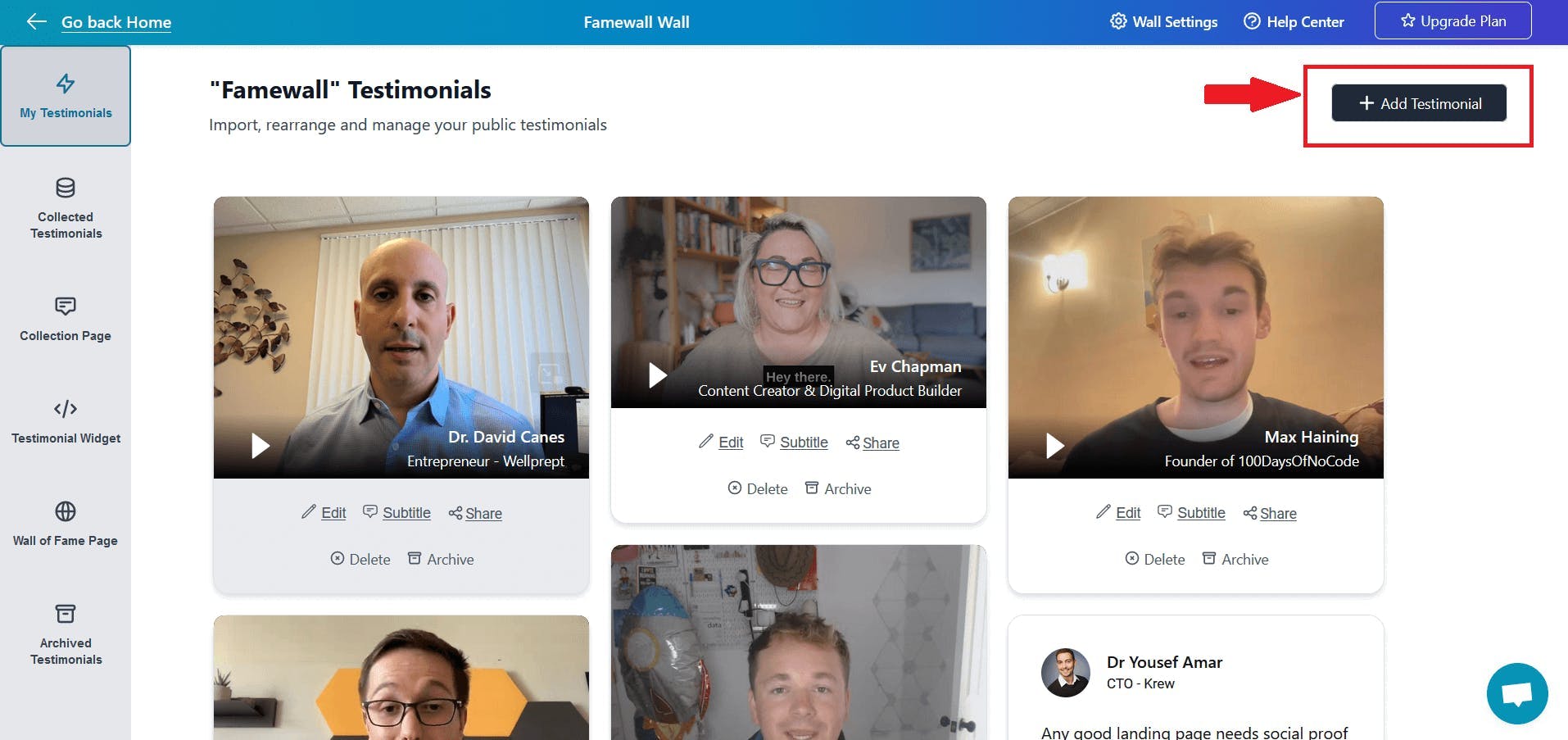
Customize your testimonial widget and publish your testimonial widget
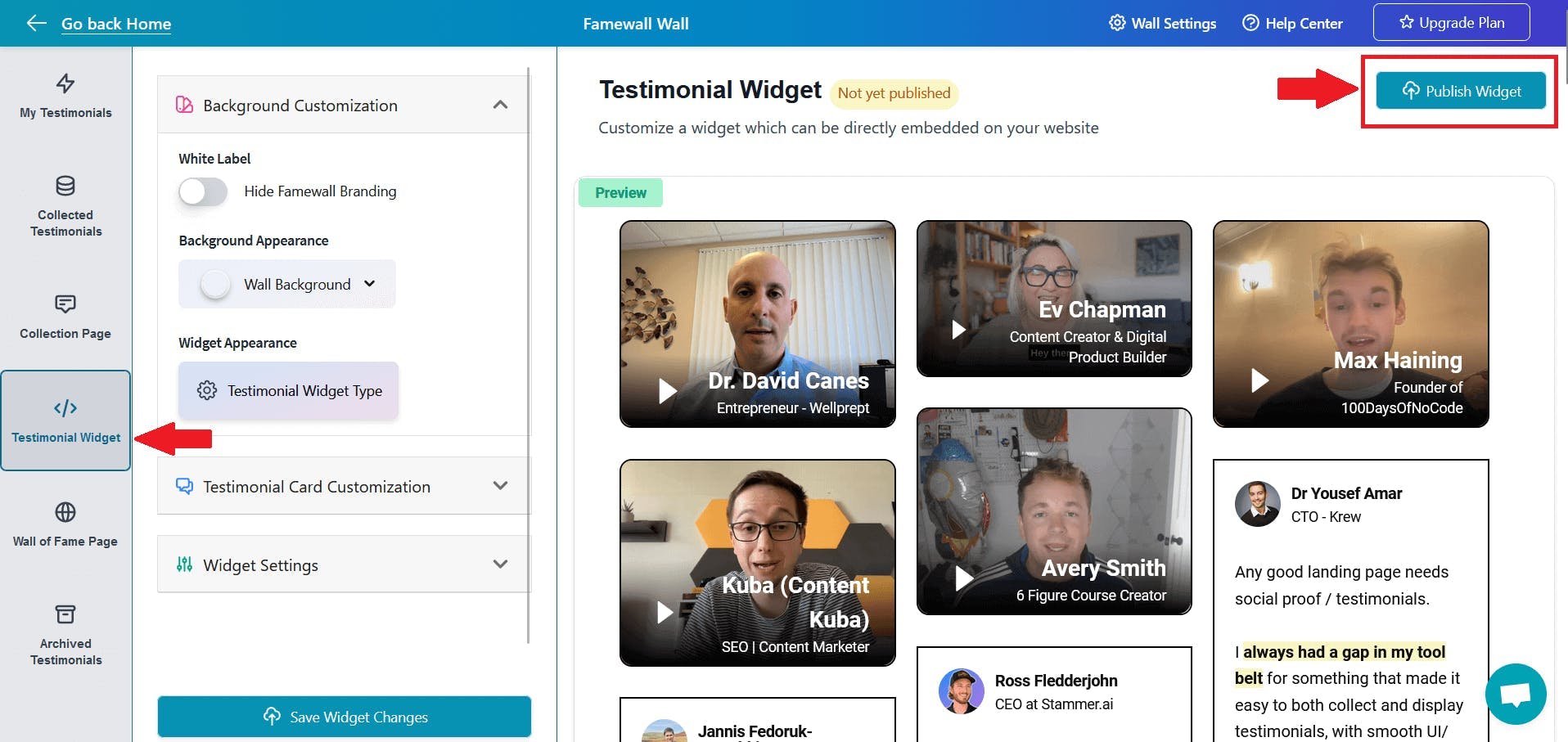
Then click on "Get Embed" button to get the widget's embed code

Step 2: Copy the Embed Code
Here you will have multiple HTML embed code -> for Grid widgets, Carousel Widgets, Slider widgets and much more
Simply select one of your choices and copy the HTML code

Step 3: Paste the embed code on your Wix website to add testimonials
Head over to your Wix website page and then click on Add Elements to the section in your website where you'd like to add testimonials

Then select the "Embed Code" option followed by the "Embed HTML" element
And then simply paste the embed code that you copied in the previous step from Famewall
Congratulations! You have successfully integrated Famewall testimonials on your Wix website. And Wix testimonials are now live on your website
If you're looking to collect testimonials from your customers, this simple guide will be very effective in helping you collect the best testimonials
Try Famewall for free to collect testimonials from your customers and add social proof to your website without writing any code. See your sales increase with the power of word of mouth!