How to Add TikTok Video to your Website? (A Quick Guide for 2026)


Your best TikTok videos should not only live on TikTok.
If you have customer videos, product demos, creator mentions, UGC, testimonials, or video reviews on TikTok, you can display them on your website too.
That matters because your website is where visitors decide whether to trust you.
In this guide, I’ll show you how to add TikTok videos to your website using Famewall, and how to use the right videos as social proof, reviews, or testimonials.
Why Add TikTok Videos to Your Website?
TikTok is great for discovery.
But your website is where people compare, evaluate, and buy.
If a visitor lands on your homepage or product page, a TikTok video can make the page feel more real.
Instead of only saying “customers love us”, you can show real people talking about your product, using it, reacting to it, or recommending it.
Adding TikTok videos to your website can help you:
- Show real customer reactions
- Display user-generated content
- Add video testimonials to landing pages
- Repurpose creator videos
- Make product pages more engaging
- Build trust with visitors who are close to buying
The goal is not to dump your whole TikTok feed on your website. The goal is to pick the videos that help a visitor trust you faster.
How to Add TikTok Videos to Your Website with Famewall
1. Importing TikTok Video
Head over to Famewall's Dashboard and click on the "Add Testimonial" button.
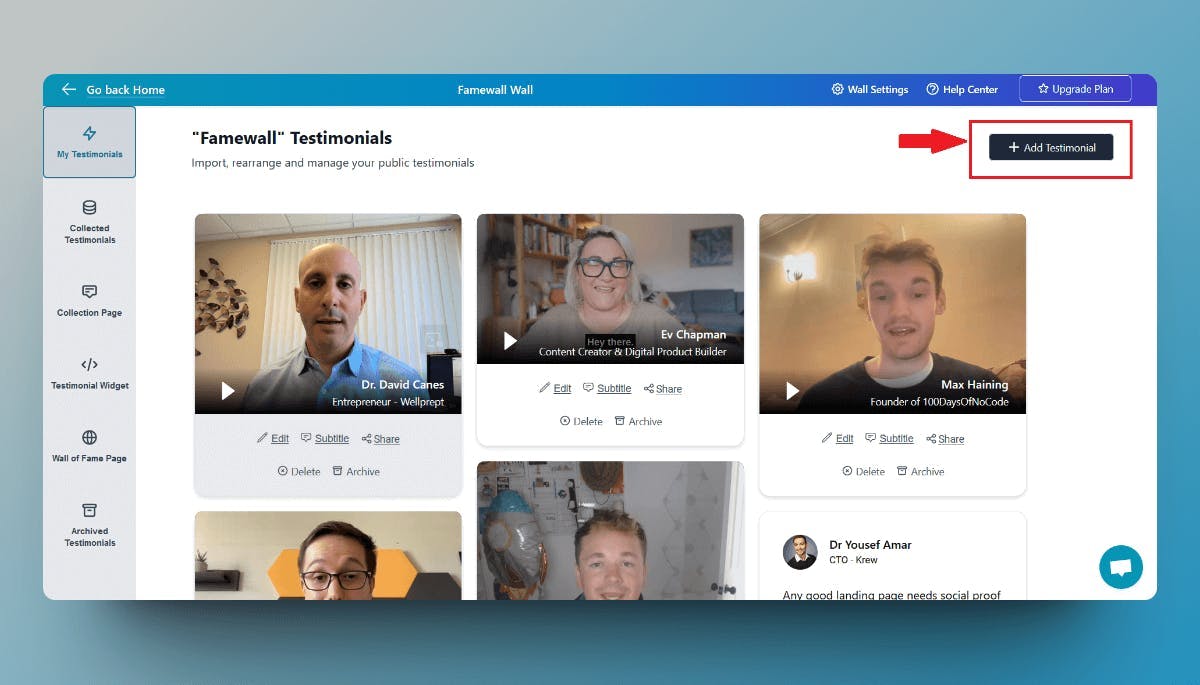
Once the popup is opened, select the TikTok tab

2. Copy the TikTok video URL
Simply head over to the TikTok video that you would like to display on the widget
Then copy the TikTok video URL (sample product URL highlighted in red in the image below)
First, click on the share icon, and you can see it beside the TikTok video

Then click on "Copy" button with the link icon

This is all you need to import the Tiktok video on Famewall
Here the URL is of the format "https://www.tiktok.com/@<username>/video/<tiktok-id>"
And yes, Famewall's TikTok import works for videos from all over the world, regardless of country
3. Paste the URL in Famewall's Dashboard
Simply paste the URL that you copied in the previous step into the TikTok video input box

And then Click on "Add TikTok Video". Just give it a minute and it will add the TikTok video directly
4. Publish the Testimonial wall to get the Widget for your website
Once you've imported the TikTok videos, your testimonial wall will look something like this

Then simply head over to the "Testimonial Widget" tab by clicking the option on the left panel as shown in the screenshot below

You can fully customize the appearance of the testimonials by changing the customization options - set it to dark mode, choose font style, choose card color etc.
This will decide how the TikTok videos appear on your website
Then finally hit on "Publish Widget"

Once you're done simply click on the "Get Embed" button on the top right corner, which will open up a popup

This pop-up will contain the embed code widget for the YouTube testimonials that can be added to your website

Now copy the testimonial widget code and simply paste it on your website using any of the website guides listed in the modal (Be it Wordpress, Webflow, Shopify, Wix, and 30+ platforms)
In fact, you can add testimonials from Famewall to any website
That's how easy it is to add YouTube comments as testimonials to your website without writing even a single line of code
FAQ
Can I add TikTok videos to my website?
Yes. You can manually embed TikTok videos or use a widget like Famewall to display TikTok videos on your website.
Can TikTok videos be used as reviews?
Yes, if the video shows a real customer experience, product reaction, recommendation, or result. Not every TikTok video is a review, but many customer videos can work as social proof.
Where should I place TikTok videos on my website?
Good places include your homepage, product page, sales page, checkout page, and Wall of Love.
Do I need permission to use a TikTok video on my website?
If someone else created the video, it is best to ask for permission before featuring it on your website.
Try Famewall for free to start collecting testimonials from customers & display them as social proof on your websites without writing any code