Free photo release form generator
Make a photo release form that says what you’ll capture, where it will appear and how someone can take it back. Download it as Word or PDF, or paste it into Google Docs.
- No signup or email form
- Photos, video and stories on one form
- Sections for minors and events
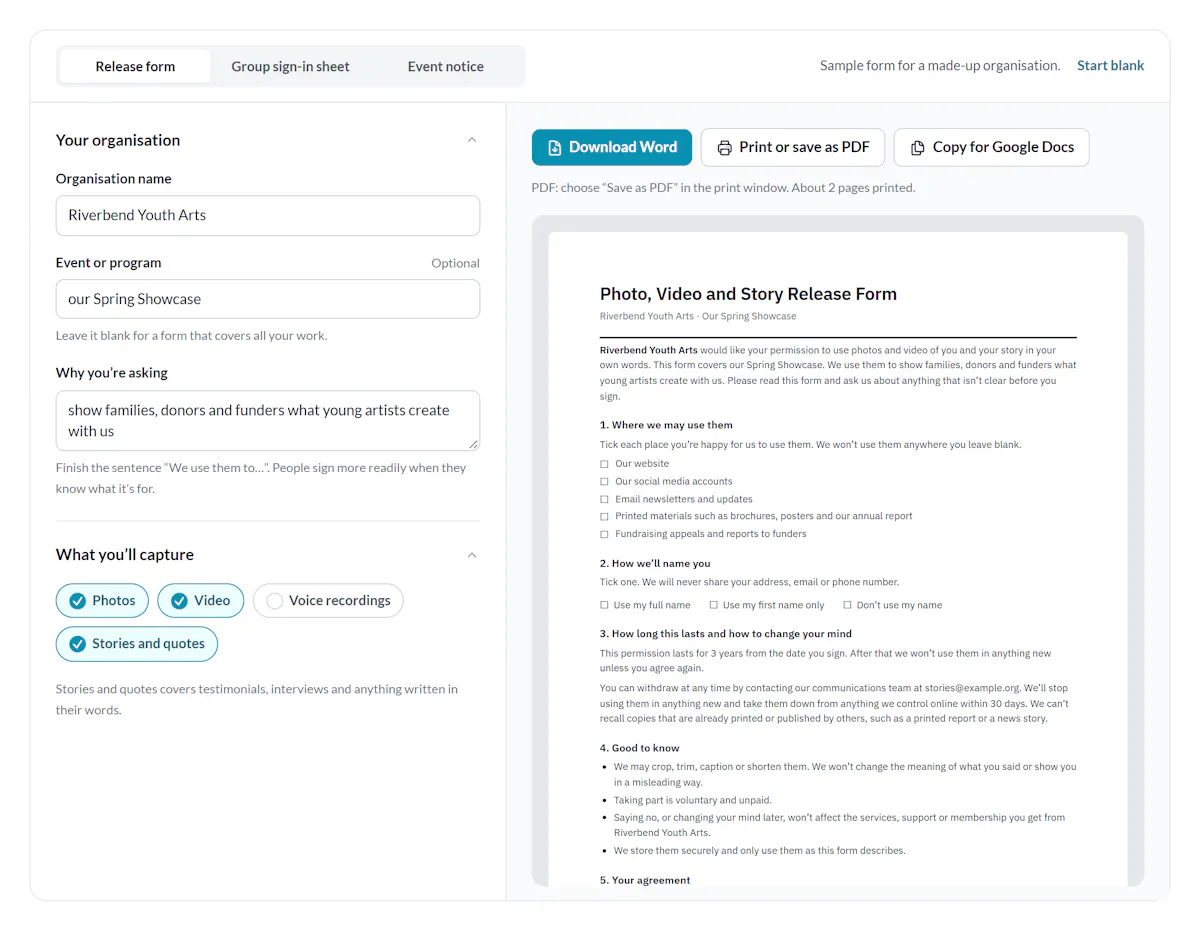
Your organisation
Leave it blank for a form that covers all your work.
Finish the sentence “We use them to…”. People sign more readily when they know what it’s for.
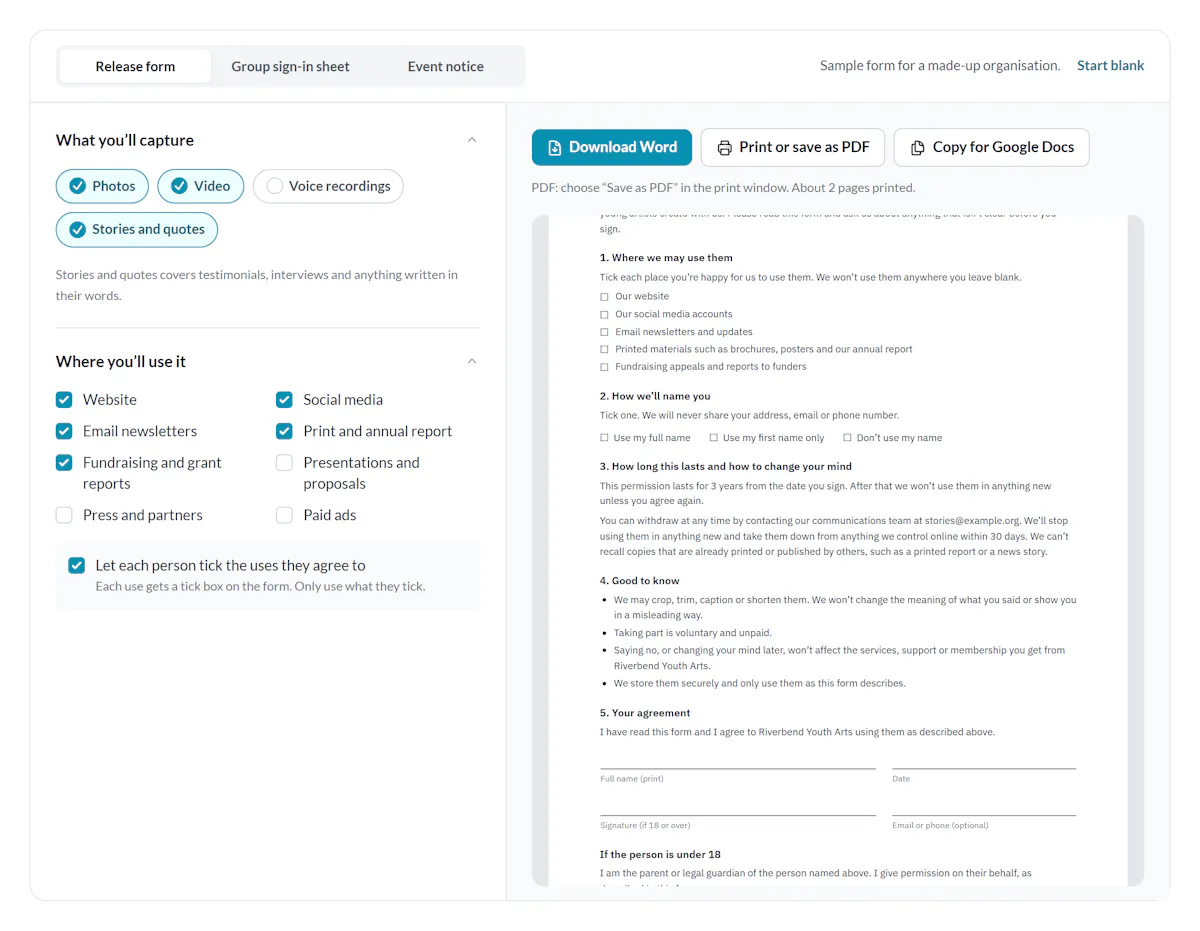
What you’ll capture
Stories and quotes covers testimonials, interviews and anything written in their words.
Where you’ll use it
Names, time limit and withdrawal
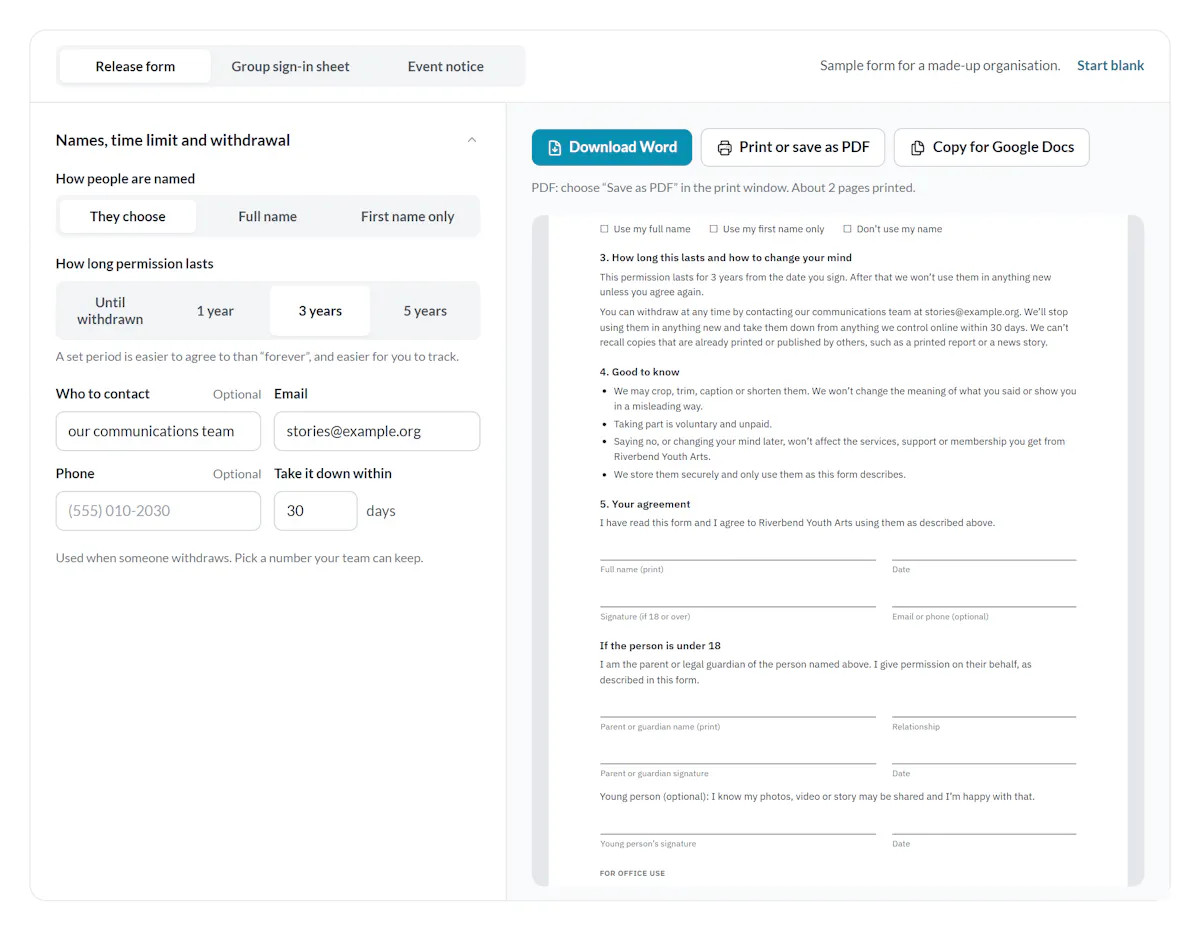
How people are named
How long permission lasts
A set period is easier to agree to than “forever”, and easier for you to track.
Used when someone withdraws. Pick a number your team can keep.
Minors and other lines
Leave blank and the form says taking part is voluntary and unpaid.
Paper, logo and footer
Paper size
Logo
Stays in your browser. Nothing is uploaded.
PDF: choose “Save as PDF” in the print window. About 1 page printed.
A photo release form is written permission to use someone’s photo.
A photo release form is a short document in which a person gives your organisation permission to use photos or video of them.
It says where the images will appear, how the person is named and how long the permission lasts.
A parent or legal guardian can sign for anyone under 18.
The same form goes by other names
- Media release form
- Covers photos, video, audio and quotes together. The usual name in nonprofits, schools and newsrooms.
- Photo and video release form
- The same form with video named, so nobody is surprised by a clip.
- Model release
- The photographer’s version, written for stock photos and paid ads.
- Testimonial or story release form
- Permission to publish someone’s words, with or without their photo.
- Photo consent form
- The name schools and youth programs use. A parent signs it.
A photo release form template should answer 11 questions before anyone signs.
Most free templates cover what you’ll capture and the signature. The rest is what makes people comfortable saying yes. The generator writes all 11 from your answers.
- Who is askingYour organisation’s name, and a person or team to contact.
- What you’ll capturePhotos, video, voice recordings or their story in their own words.
- Why you’re askingOne sentence on what the material is for.
- Where it will appearEach place by name, ideally with a tick box for each one.
- How they’re namedFull name, first name only or no name. Let them choose if you can.
- Whether you’ll editCropping and trimming are fine. Changing what they meant is not.
- How long it lastsA set number of years, or until they withdraw.
- How to withdrawWho to contact, and how quickly you’ll take it down.
- PaymentWhether they receive anything, even when the answer is nothing.
- That saying no is fineAnd that it changes nothing about the help or membership they get.
- SignaturesTheirs, a parent’s for anyone under 18, the date and a box for file numbers.
How to make a photo release form in four steps
It takes about 2 minutes. There is nothing to install and no account to create.
Name your organisation and the event or program
Add your organisation, the event or program and one sentence on why you’re asking.
People sign more readily when they know what the photos are for.
Tick what you’ll capture and where it will appear
Photos, video, voice recordings or stories in their own words. Then each place you’ll use them.
Keep “Let each person tick the uses they agree to” on, and each use gets its own tick box.
Set names, a time limit and a way to withdraw
Choose how people are named and how long the permission lasts.
Add the email people can write to if they change their mind, and how fast you’ll take things down.
Download it as Word or PDF
Download a Word file you can edit, print it, save it as a PDF or copy it into Google Docs.
Your answers stay saved in this browser for next time.
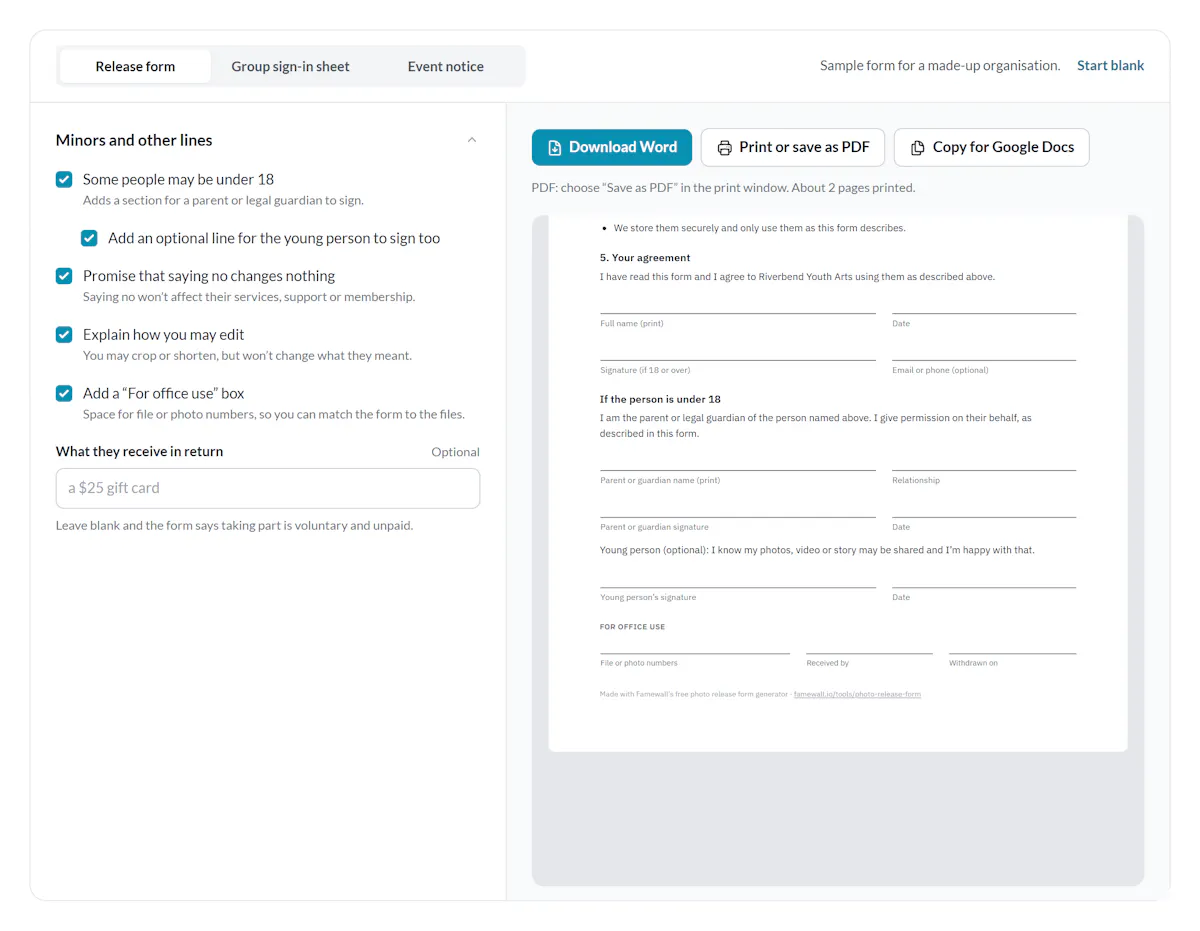
A photo release form for minors needs a parent or guardian’s signature.
Most places treat anyone under 18 as a minor. A minor can’t give binding permission, so a parent or legal guardian signs for them.
Tick Some people may be under 18 in the generator. The form adds a guardian section with the guardian’s name, their relationship to the young person, a signature and the date.
Ask the young person too. The form has an optional line for them to sign. It means they knew before their photo turned up in your newsletter.
Schools, camps and youth programs often collect one form at enrolment for the whole year. If that’s you, set the time limit to 1 year and collect a fresh form each year.
At events, use a group sign‑in sheet and a notice at the door.
A photo release form for events has to work for a crowd. One form per guest doesn’t work at a gala, a graduation or an open day, so the generator makes two more formats from the same answers.
Photo, Video and Story Release: Sign-in Sheet
Riverbend Youth Arts · Our Spring Showcase
By signing below you give Riverbend Youth Arts permission to use photos and video of you and your story in your own words from our Spring Showcase on our website, social media, email newsletters, printed materials and fundraising appeals. We use them to show families, donors and funders what young artists create with us. Your permission lasts for 3 years.
You can withdraw at any time by contacting our communications team at stories@example.org. We’ll take them down from anything we control online within 30 days. Saying no changes nothing about the support you get from us. Prefer not to appear? Write No in the Yes / No column and ask for a red lanyard at the welcome desk. For anyone under 18, a parent or legal guardian signs and writes their own name in the guardian column.
| # | Full name (print) | Email or phone | Parent or guardian (under 18) | Yes / No | Signature |
|---|---|---|---|---|---|
| 1 | |||||
| 2 | |||||
| 3 | |||||
| 4 | |||||
| 5 | |||||
| 6 | |||||
| 7 | |||||
| 8 | |||||
| 9 | |||||
| 10 | |||||
| 11 | |||||
| 12 |
Made with Famewall’s free photo release form generator · famewall.io/tools/photo-release-form
Group sign-in sheet
A short version of your release with room for a dozen people on each sheet. Each person writes their name, a yes or no and a signature. Turn on minors and a parent or guardian column appears.
We’re taking photos and video at our Spring Showcase
Riverbend Youth Arts may use them on our website, social media, email newsletters, printed materials and fundraising appeals to show families, donors and funders what young artists create with us.
Prefer not to appear? Please ask for a red lanyard at the welcome desk, or tell a member of our team. We’ll make sure you aren’t featured.
Changed your mind later? Contact our communications team at stories@example.org.
Made with Famewall’s free photo release form generator · famewall.io/tools/photo-release-form
Event notice
A sign for the entrance. It says photos and video are being taken, where they’ll be used and how to opt out.
Give people who’d rather not appear an easy way to say so, like a coloured lanyard or sticker. Your photographer can then work around them.
A notice is weaker than a signature. Use it for crowd shots, and get a signed form from anyone you plan to feature up close.
Stories and testimonials need the same consent as photos.
A quote from a participant, volunteer or donor can identify them as clearly as a photo. So can a short video about what your program changed for them. When you collect impact stories, they need the same release.
Ethical storytelling templates add three things to a standard release. Saying no won’t affect the help someone receives. They choose how they’re named. And they can change their mind later.
If you collect stories online, capture consent inside the form instead.
On a Famewall collection page, turn on Marketing Consent and write the line in your own words, like the one on this page. Each written story, photo and video then arrives with its consent recorded next to it.
When the Chartered Institute of Public Relations asked its members for stories, it collected 175 written and 25 video stories in two weeks from one collection page. Nonprofits use the same setup to give every program its own wall of impact stories.
Your consent line, written from the form above
I give Riverbend Youth Arts permission to use my story, photo and video on our website, social media, email newsletters, printed materials and fundraising appeals for 3 years. I can withdraw at any time by emailing stories@example.org.
The consent message on a collection page supports links, so people can read the full form before they tick.
Share your story
What changed for you since you joined?
I give Riverbend Youth Arts permission to use my story, photo and video on our website, social media, email newsletters, printed materials and fundraising appeals for 3 years. I can withdraw at any time by emailing stories@example.org.
How the consent checkbox looks on a story form
Keep each signed form next to the photos it covers.
A release only helps if you can find it on the day someone asks you to take a photo down.
| Do this | Why |
|---|---|
| Number each form and add the number to the file names of the photos it covers | One search finds every file that form covers. |
| Scan the paper form into the same folder | Nobody has to dig through a filing cabinet. |
| Note the end date in your photo library or calendar | Nothing keeps running past its permission. |
| When someone withdraws, write the date in the office box | You can show when you took it down. |
| Check the ticked uses before each new campaign | A form that allows your website may not allow ads. |
Frequently asked questions
What is a photo release form?
A photo release form is written permission from a person to use photos or video of them. It names who is asking, where the images will appear and how long the permission lasts. A parent or legal guardian signs for anyone under 18.
Is a photo release form legally binding?
A signed release is written evidence of what the person agreed to, and that is what protects you. How far it holds depends on your country or state and on the wording. Use this template as a starting point and ask a lawyer about anything sensitive.
How long does a photo release form last?
As long as the form says. Many templates say forever. A set period like 3 years, or until the person withdraws, is easier to agree to and easier for you to track.
Do I need a separate form for video and stories?
No. One media release form can cover photos, video, voice recordings and written stories. Tick what you’ll capture in the generator and the form names each one.
Can someone withdraw a photo release?
Yes, if your form allows it, and this one does. Stop using the material in anything new and take it down from your website and social media. Printed copies can’t be recalled, so the form says that up front.
Is this photo release form generator free?
Yes. The Word file, the PDF and the Google Docs copy are free with no signup. Nothing you type leaves your browser.