Free nonprofit impact report template with a real story for every program
Use this impact report template to show donors what changed in each program. Add the numbers and one real story per program, then print a PDF or download a web version.
Free with no signup
Donor one-pager
- 3 outcomes from 2 programs
- 2 stories with permission
- 1 page PDF and web version
Cover and summary
The main result, with a number. Readers who stop here still get the point.
Headline numbersup to 4
Pick outcomes, not event counts. Every number should match your records.
Thank-you letter
Programs2 of 5
Each program gets its own page: what you did, what changed and one story.
1Reading Buddies
Activity counts: sessions held, meals served, members trained.
Change for people. Add the starting point and the date when you have them.
One story from this program
Put the name after a | bar. Only paste quotes you have permission to publish.
The web version can embed this program's live story wall. How a program wall works
2Family Book Bags
Activity counts: sessions held, meals served, members trained.
Change for people. Add the starting point and the date when you have them.
One story from this program
Put the name after a | bar. Only paste quotes you have permission to publish.
The web version can embed this program's live story wall. How a program wall works
Where the money went
Spent on (%)
What you learned and what’s next
One thing that worked. One thing that did not, and what you changed.
The ask, look and footer
Brand colour
Logo
Stays in your browser. Nothing is uploaded.
PDF: choose “Save as PDF” in the print window. Web version: one HTML file you can upload or hand to your web team.
An impact report shows what changed because people gave
An impact report is a short report that shows donors, funders and your board what changed for the people you serve. It covers one year or one campaign.
It leads with outcomes, backs them with numbers and puts a real person’s story next to them.
Some teams call it a social impact report or a donor report. The job is the same.
Most nonprofits send one after the year or the campaign closes. More of them now publish it as a web page too, so a donor who clicks from an email can read it on a phone.
A nonprofit impact report needs 8 blocks, and this template has all of them
Cover and one-line summary
Your mission and the main result of the year in one sentence with a number.
From: You and your executive director
Headline numbers
3 or 4 outcomes. Change for people, not event counts.
From: Program leads
Thank-you letter
What donors made possible, signed by a real person.
From: Your executive director
Program pages
One page per program: who it served, what you did and what changed.
From: Program staff and their records
Stories
One story and 2 or 3 quotes per program, each with permission. On the web version this can be the program’s live story wall.
From: Participants, members and volunteers
Where the money went
What you raised, how you spent it and where it came from.
From: Your finance lead
What we learned
One thing that worked and one that did not.
From: Program staff
What is next and how to help
Next year’s goal and one clear ask with a link.
From: Development
Make an impact report in 4 steps with the template above
Most of the time goes into step 2. Ask each program lead for their numbers and one story a few weeks before the report is due.
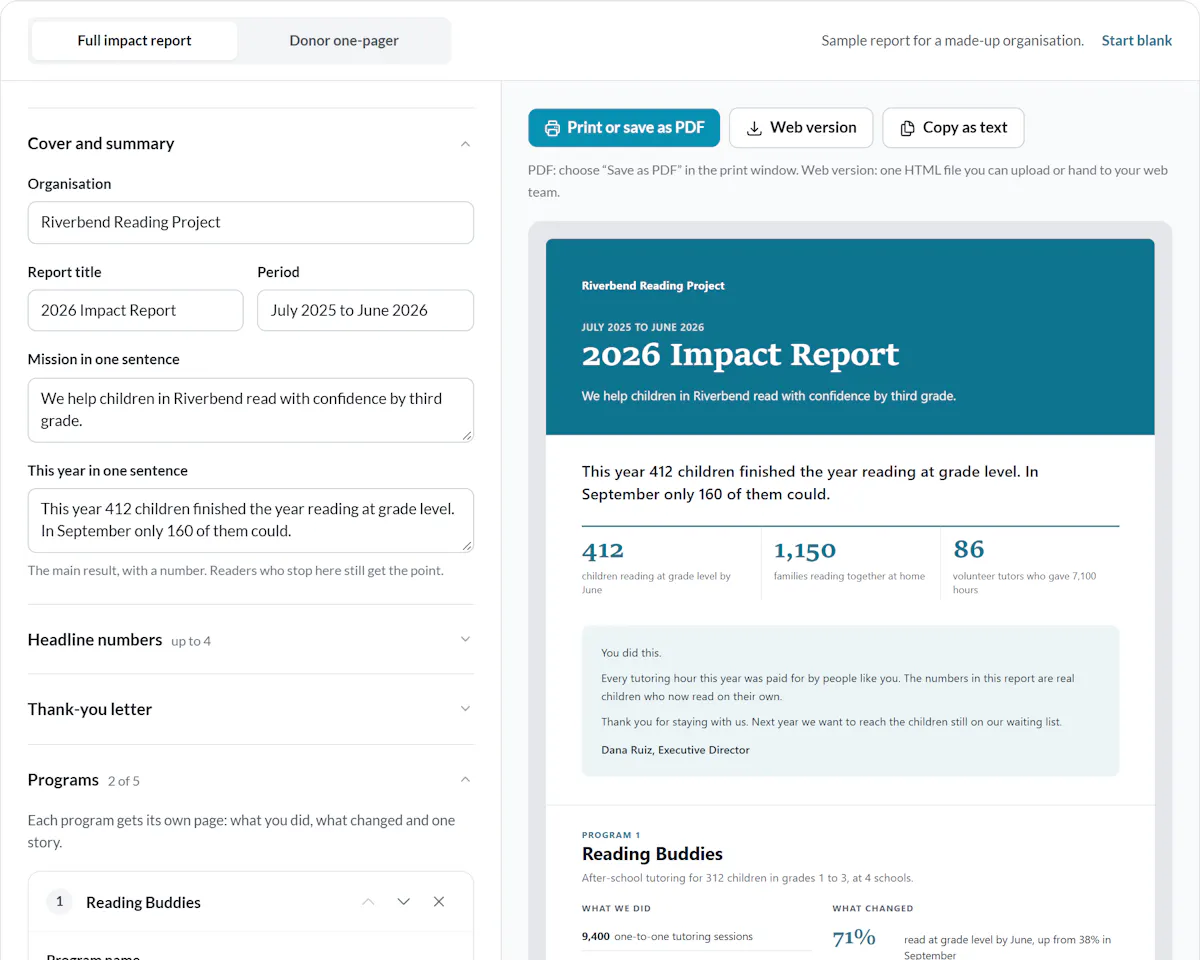
Write the cover and the one-line summary
Add your organisation, the period and your mission.
Then write the main result of the year in one sentence, with a number.
Add each program with its outputs, outcomes and one story
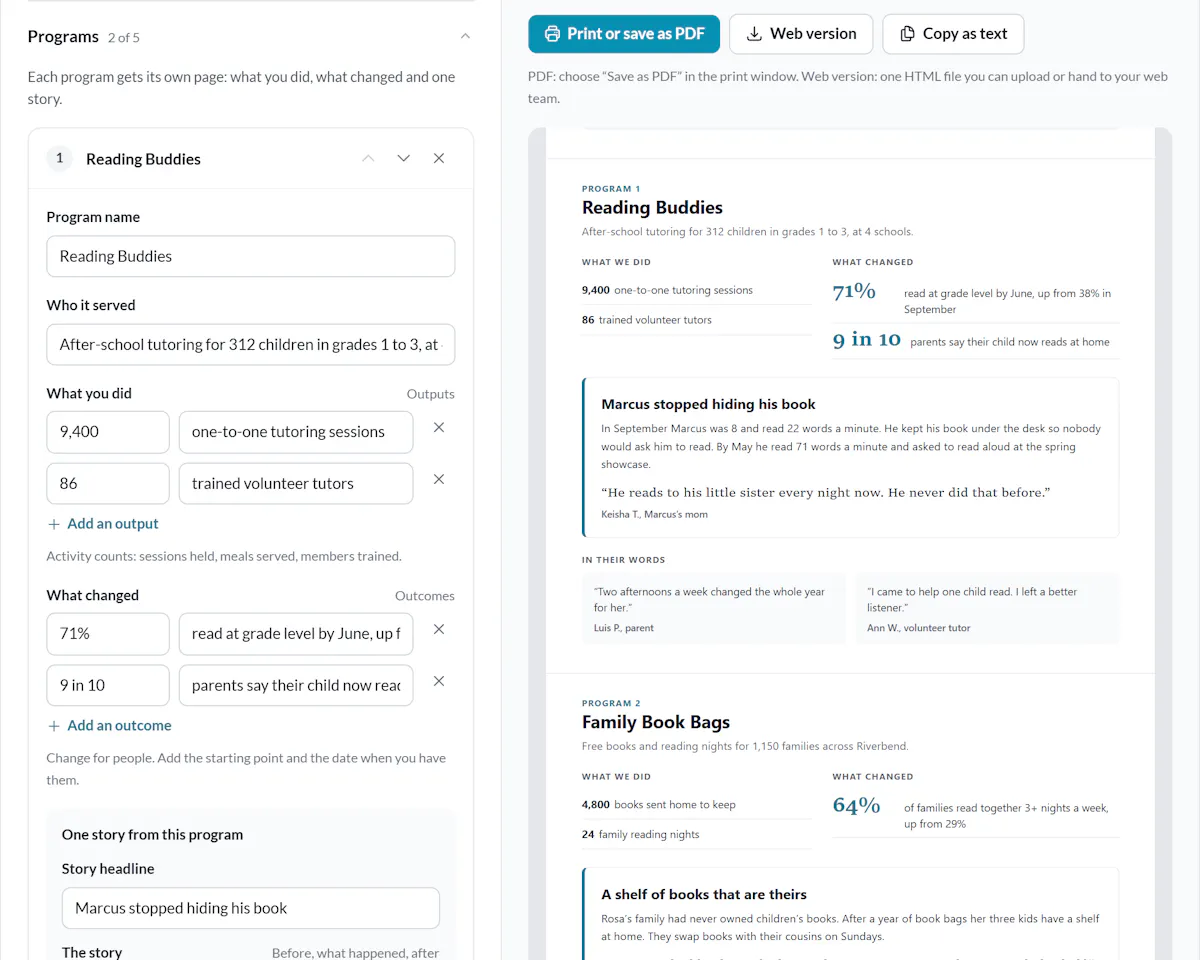
Activity counts go under What you did. Change for people goes under What changed.
Add one story and tick permission once you have it.
Add the money, what you learned and your ask
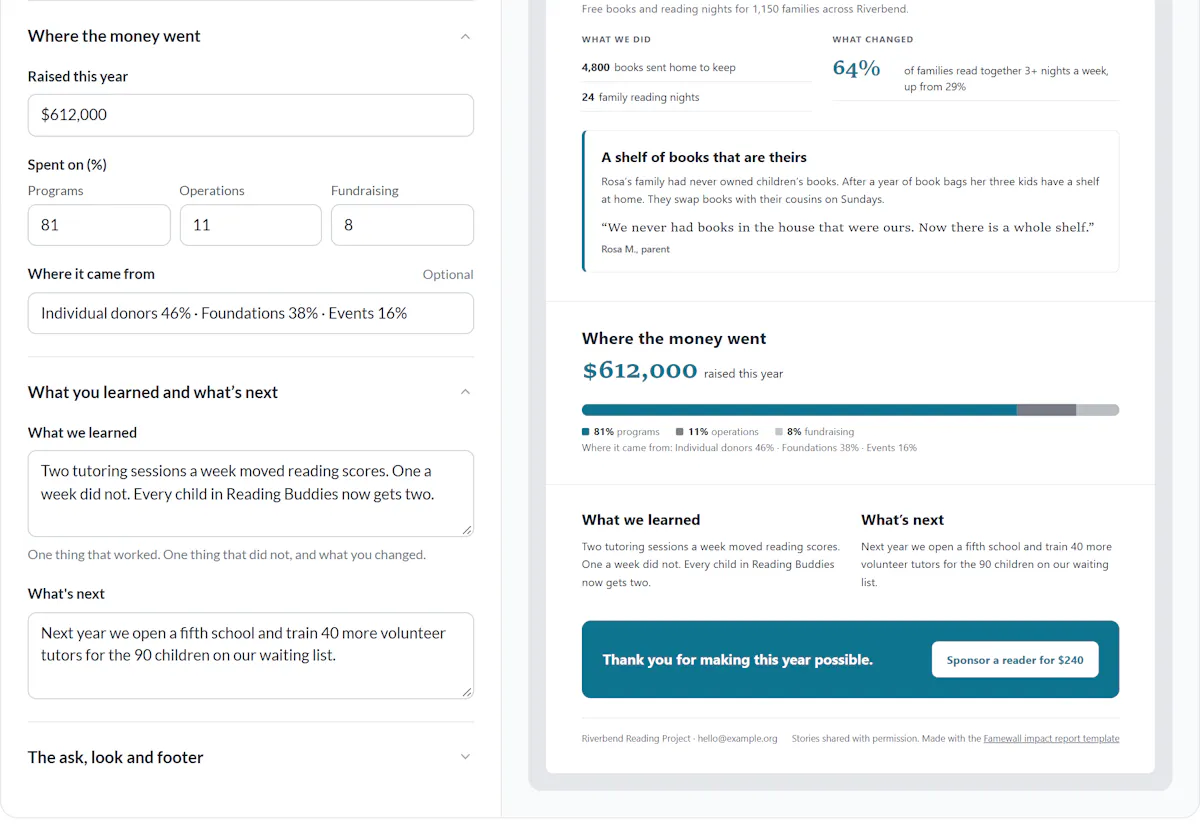
Fill in what you raised and how you spent it.
Add one lesson and one clear next step with a link.
Print a PDF or download the web version
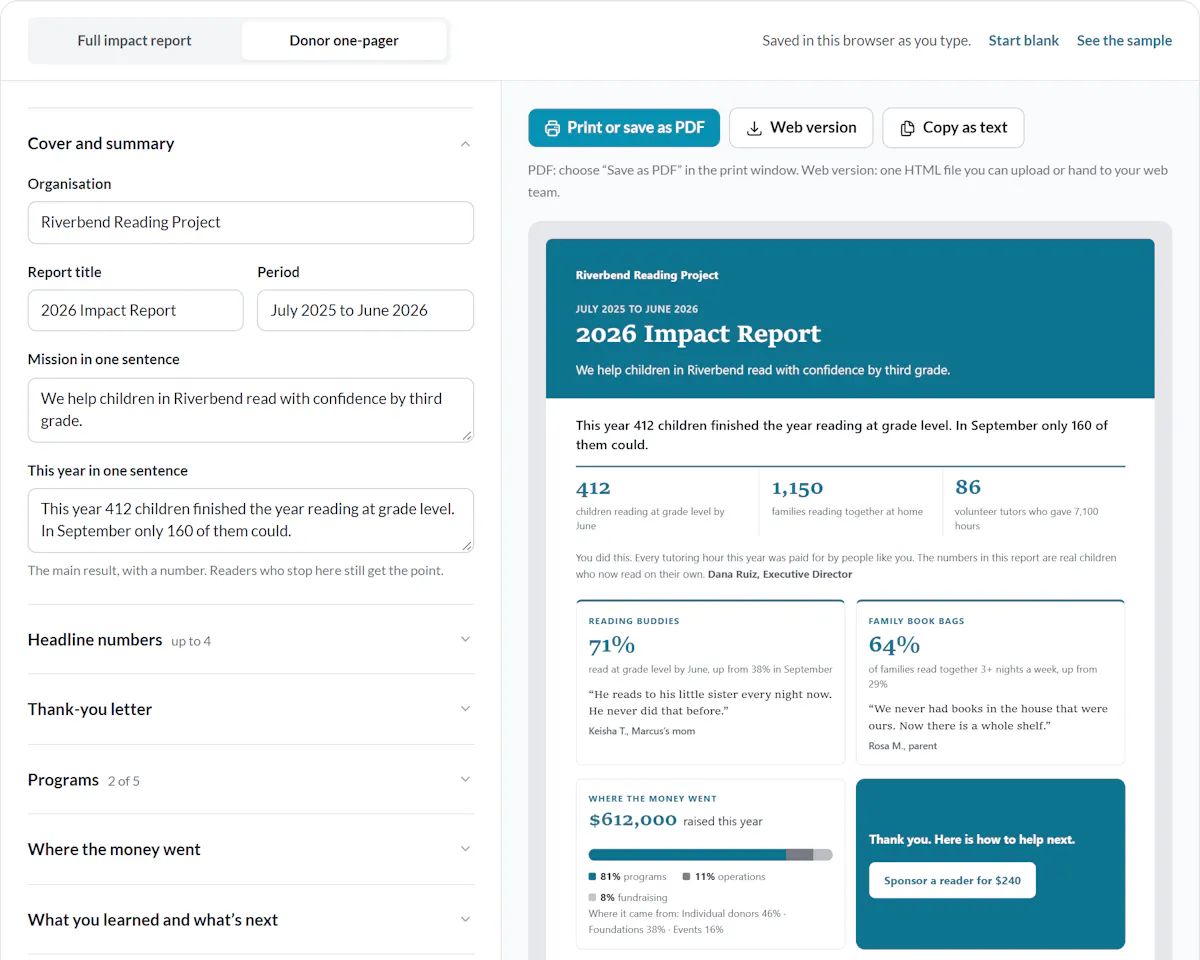
Save a PDF for the board pack and the mail. Use the web version for donors who click from an email.
Or copy the text into Word or Google Docs.
Build the report for programs each with its own story
Donors give to programs. Funders fund programs. Program staff hold the numbers. So build the report the same way.
Give every program its own page: who it served, what you did, what changed and one person’s story.
The numbers are rarely the hard part. The stories are. They sit in survey exports, inboxes and an old Google Doc. Nobody can find one with permission attached the week the report is due.
The fix is to collect them as you go, in one place per program.
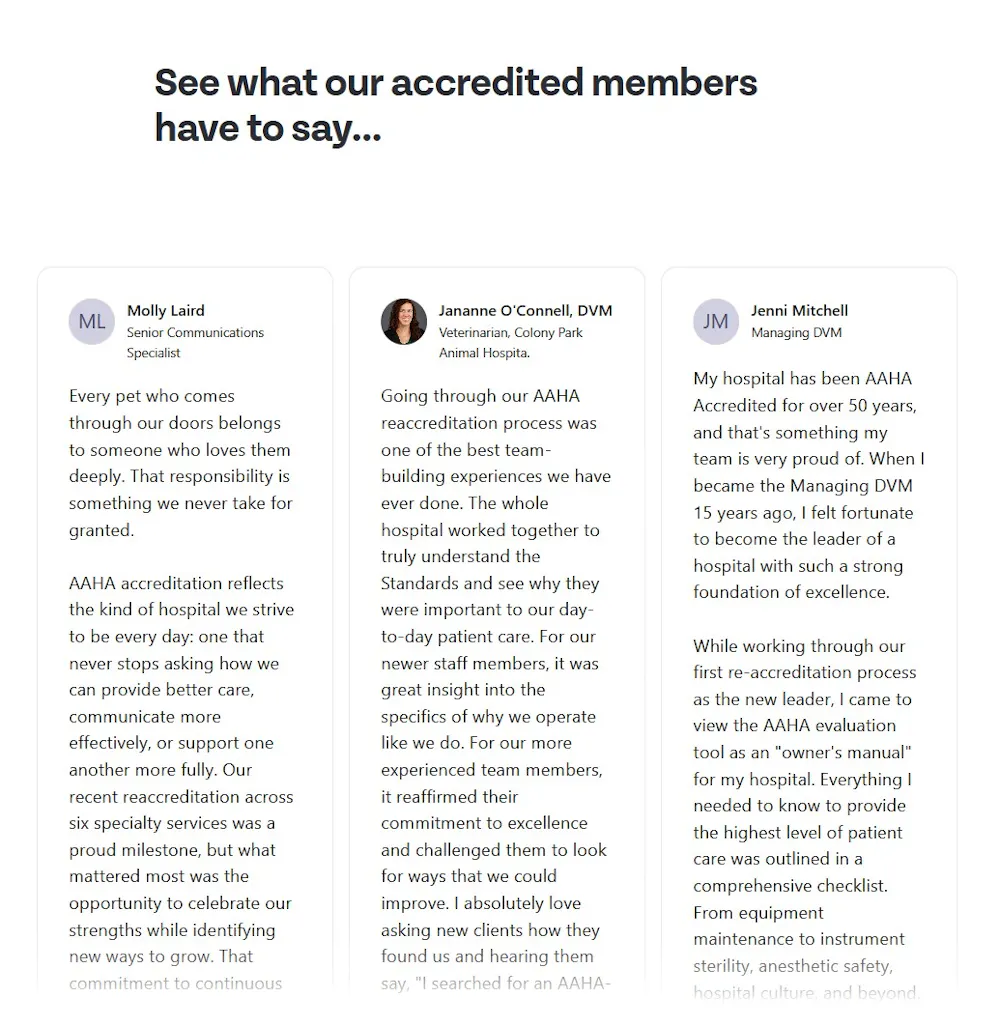
CIPR used one collection page to gather 175 written and 25 video stories in 2 weeks for its Chartership campaign. Associations can run the same ask as a member spotlight.
In Famewall each program gets its own collection page and its own wall of stories. Embed the wall in the web version, so new stories keep showing up after the report goes out.
Ask every program for a story when the change happens, not the week the report is due
Open one story page per program
One link per program keeps the stories sorted from the first day.
Ask when the change happens
After a last session, a graduation, a volunteer shift or a conference. Not in the year-end appeal.
Ask the 5 questions below
Before, during, after and advice. Then permission.
Approve and pick
Approve the stories you will use. Pick one per program for the report.
5 questions that get a usable story
- 1What was life like before you joined [program]?
- 2What did you do or get through the program?
- 3What has changed for you since then?
- 4What would you tell someone thinking of supporting [program]?
- 5May we share your words, first name and photo in our impact report and on our website?
Collecting impact stories all year takes one story page per program, a consent question and one shared place to keep them.
Get permission for every story before it goes in the report
- Taking part in a program is not permission to publish. Ask separately, in plain words.
- Ask for each place you will use it: the website, the PDF, social media and grant reports.
- Let people choose how they are named: full name, first name or initials.
- Children need consent from a parent or guardian.
- Decide how long the permission lasts. The British Red Cross archives story content after 5 years unless the person agrees again, according to Charity Digital.
The builder holds back any story without the permission tick. It stays out of the PDF, the web version and the text.
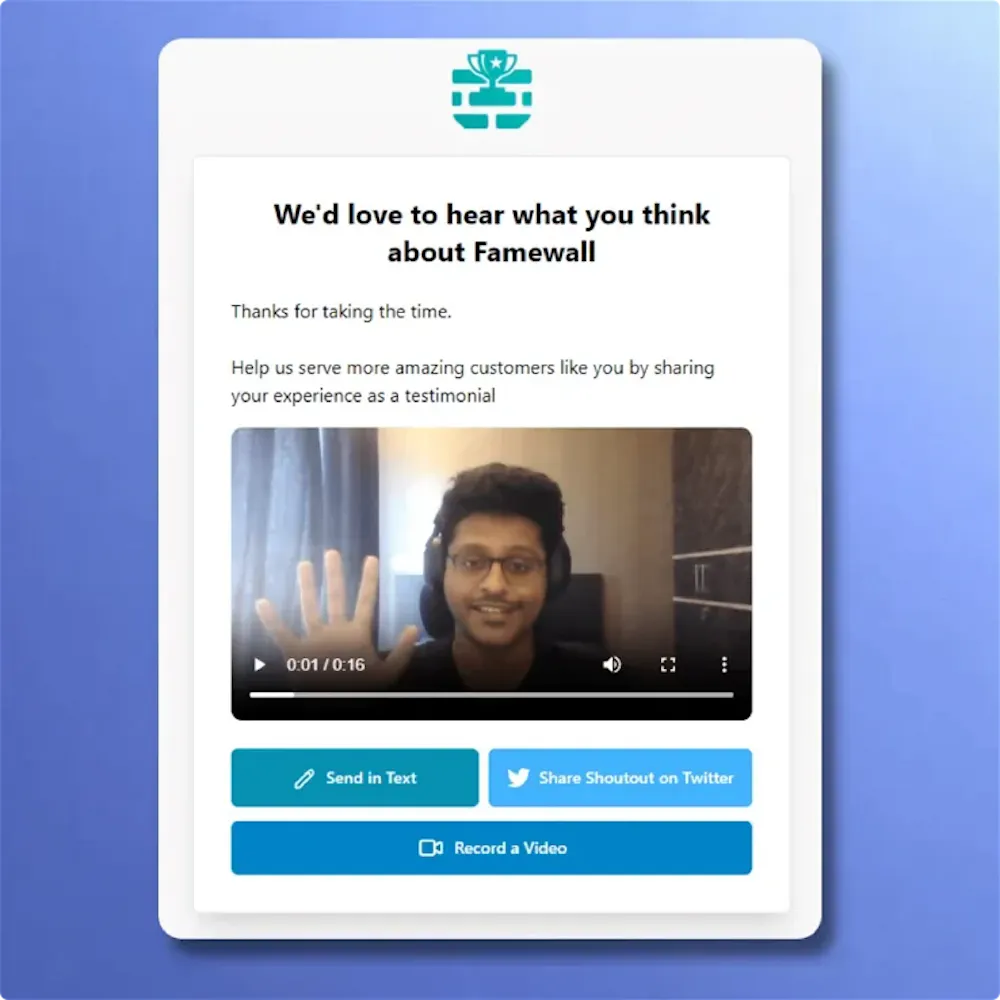
On a Famewall collection page you can add a consent checkbox with your own wording. The answer is saved with each story.
Good impact report design comes down to 5 rules
You do not need a designer. The template already follows all 5.
Use one brand colour. Save it for the numbers that matter.
Give each block one big number. Put the starting point in the label: “up from 38%”.
Show real people, with permission. A participant’s photo beats any stock image.
Write for the skimmer. Someone who reads only the headings and numbers should still get the year.
Label every number. Say the period and where it came from.
What teams say about collecting stories with Famewall
Impact report questions
What comms teams ask before the report is due.
What is an impact report?
An impact report shows donors, funders and your board what changed for the people you serve over a year or a campaign. It leads with outcomes, backs them with numbers and adds a real story for each program.
What should a nonprofit impact report include?
A cover with a one-line summary, 3 or 4 headline outcomes and a thank-you letter. Then a page per program with outputs, outcomes and a story. Close with where the money went, what you learned and one clear ask.
How long should an impact report be?
As short as the reader needs. Send donors a one-pager. Give funders and the board a few pages, about one per program.
What is the difference between an impact report and an annual report?
An impact report shows what changed for the people you serve. An annual report covers the whole organisation, including governance and the full financial statements. Many nonprofits send both, and the impact report is the shorter one written for donors.
Is this impact report template free?
Yes. The builder and the blank template are free, with no signup or email form. Your report stays in your browser. You only need a Famewall account for a story page and a live wall per program.
How do I collect stories for our impact report?
Give each program its own story link and share it at a natural moment, like a last session or a graduation. Ask what changed and ask permission in the same form. Then pick the best story from each program for the report.
Collect the stories for next year’s report now
One story page per program. You approve every story. Each program’s wall goes live on your website without a developer.
Free to start. No credit card required.