How to Add Testimonials to a HighLevel Website

If you use HighLevel to build website funnels or landing pages, testimonials can help visitors trust the offer before they book a call, submit a form, or buy.
The good news is that GoHighLevel supports HTML elements, so you can add a testimonial widget to your HighLevel page without custom development.
Yep, you can greatly increase conversions on your website built with HighLevel by including testimonials as it builds trust with customers
In this guide, I’ll show you how to add text and video testimonials to HighLevel using Famewall, where to place them in your funnel, and how to display them.
We'll also cover how to fix the common issues that stop testimonial widgets from showing properly
What kind of testimonials work best in HighLevel?
- Text testimonials for local service pages
- Video testimonials for agencies, coaches, consultants, courses, and high-ticket services
- Star ratings or short reviews near booking forms
- Client results and case-study snippets for agency landing pages
- Carousel widgets when page space is limited
- Grid widgets when you have multiple strong testimonials
- Wall of love pages for broader social proof
Step-by-step: How to add testimonials to HighLevel
1. Create a testimonial wall in Famewall
Go to Famewall Dashboard and create your testimonial wall to gather the testimonials in one place
You can capture testimonials in a couple of convenient ways on Famewall
You can either import testimonials from 25+ available sources on Famewall or collect testimonials from your customers directly using a personalized testimonial collection page
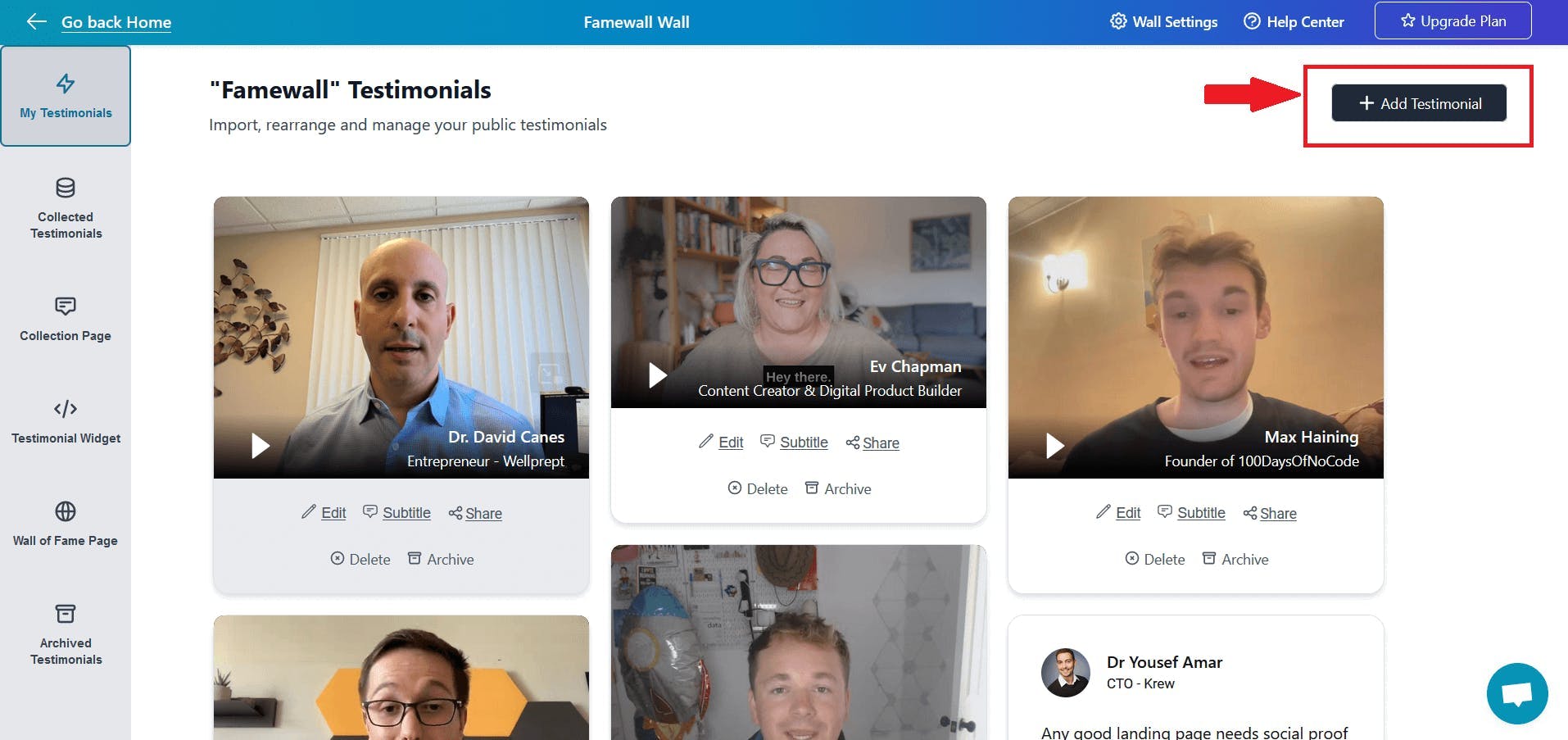
It supports both text and video testimonials
2. Customize the testimonial widget for GoHighLevel on Famewall
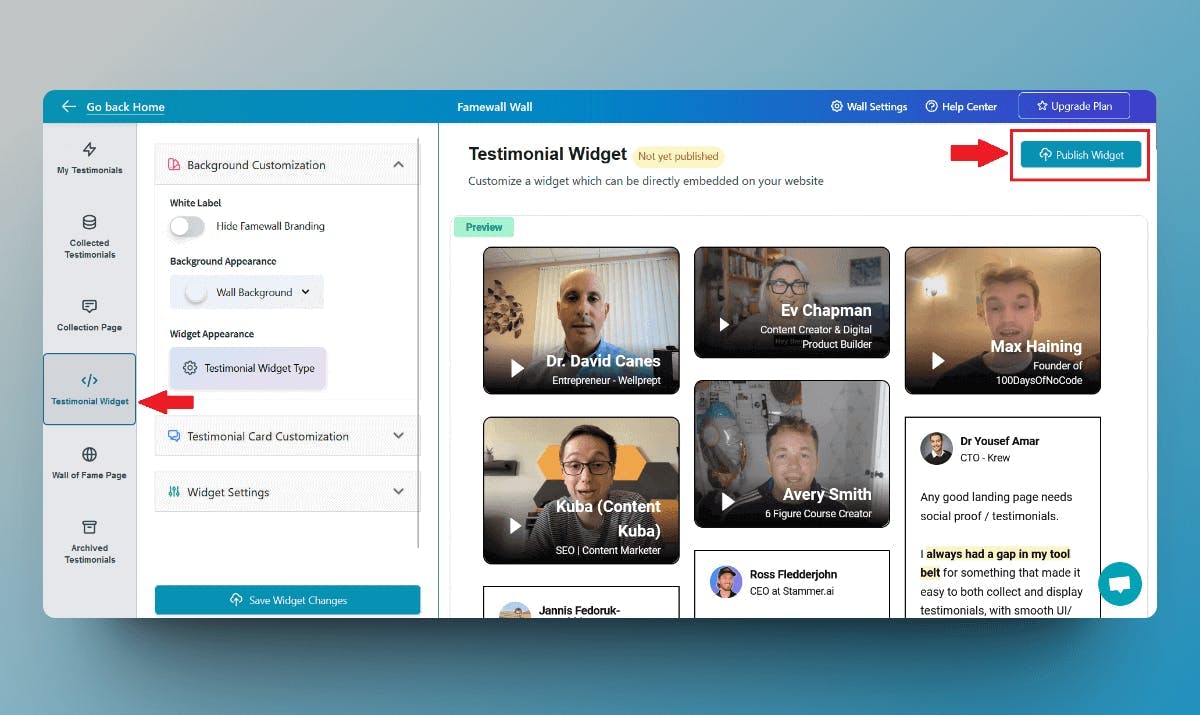
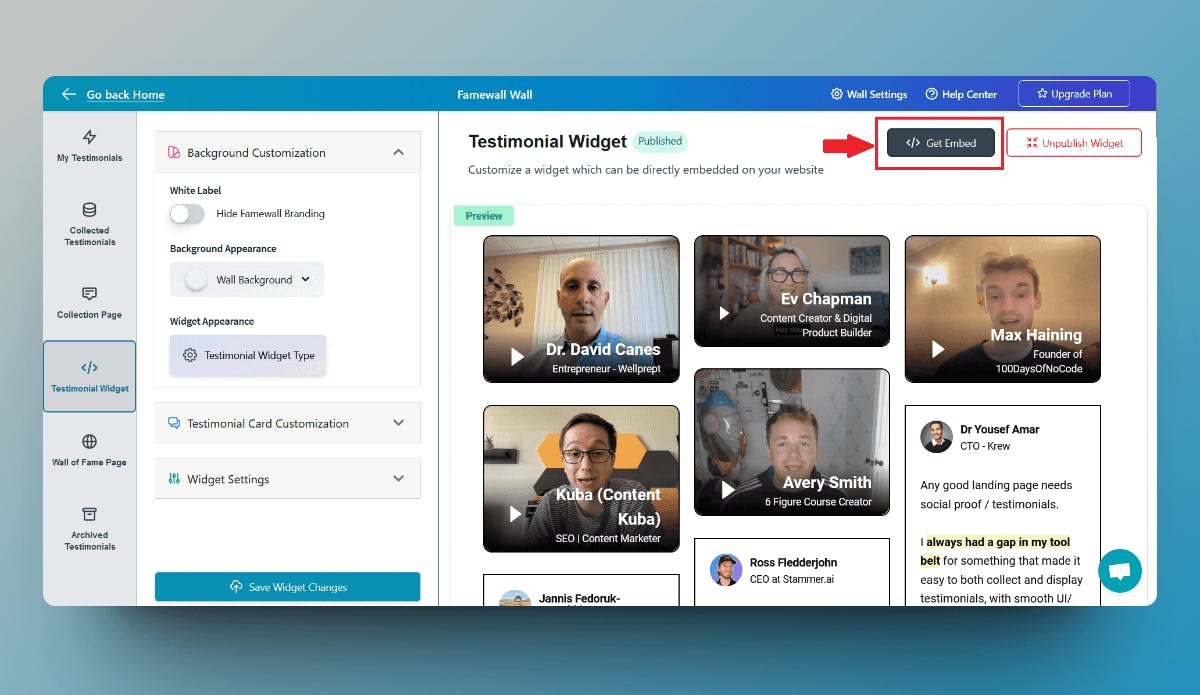
Then click on the "Testimonial Widget" tab on the left panel
Here you can customize the appearance of the text, and video testimonials so that you can make them appear how you'd like.
Finally, publish your testimonial wall by clicking on "Publish Widget" on the top right.
3. Publish the testimonial widget & copy the embed code
You'll then see the "Get Embed Code" option on top after publishing the widget. So click that
Then select the widget display type from the different options available like grid, carousel etc., and copy the widget's embed code
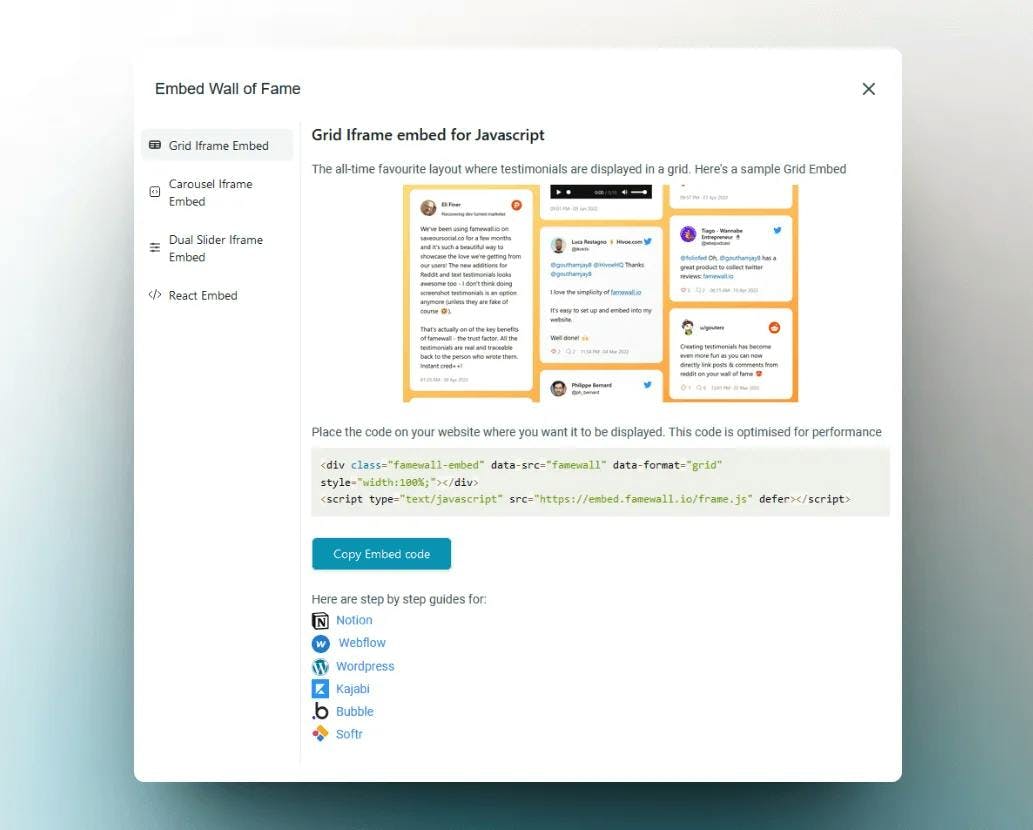
4. Add the HTML element in HighLevel
The easiest method to add testimonials to your HighLevel website is to use the HTML Code element
Here's how to do it:
- Open the page or post where you want to add the testimonial widget in HighLevel.
- Open "elements" in the top right corner.
- Choose "HTML" element.
- Paste the embed code that you copied earlier from Famewall into the text editor.
- Switch back to the "preview" tab to see the testimonials widget preview.
And Voila! The testimonials are now live on your HighLevel website
If you're looking to collect testimonials from your customers, this simple guide will be very effective in helping you collect the best testimonials
Why is my testimonial widget not showing in HighLevel?
1. The Famewall widget is not published
Fix: Go back to Famewall and click Publish Widget before copying the embed code.
2. The embed code was not copied fully
Fix: Copy the full code snippet from Famewall, including the script tag.
3. The code was pasted into the wrong HighLevel element
Fix: Use the HTML element in the HighLevel website or funnel editor.
4. The widget looks too narrow on mobile
Fix: Use `style="width:100%;"` in the embed container and test mobile preview.
5. HighLevel preview is cached
Fix: Save the page, refresh the editor, and check the public preview URL.
6. The testimonial section is too low on the page
Fix: Move one strong testimonial section closer to the form, calendar, offer, or CTA.
Frequently Asked Questions (FAQs)
Can I add testimonials to GoHighLevel without code?
Yes. You do not need to write code and you just have to paste an embed snippet into HighLevel’s HTML element. Famewall generates the testimonial widget code for you.
Does HighLevel support testimonial widgets?
Yes. HighLevel supports HTML elements inside websites and funnels, so you can embed testimonial widgets, review widgets, and social proof sections.
Can I add video testimonials to GHL?
Yes. If your testimonial tool supports video testimonials, you can embed video testimonials in GoHighLevel using the HTML element. Famewall supports both text and video testimonials.
Where should testimonials go on a HighLevel funnel page?
The best places are below the hero section, near lead capture forms, before booking calendars, near pricing sections, and close to final CTA buttons.
Can agencies use one testimonial widget across multiple HighLevel client pages?
Yes, but it depends on the use case.
For an agency’s own website, one widget can be reused across multiple pages.
For client websites, it is better to create separate testimonial walls for each client so the proof stays relevant.
Try Famewall for free to collect testimonials from customers & add them to your website in minutes without writing a single line of code!