Add Verified Google Review Widget to your Website in minutes
Automatically import your Google Business reviews, choose which to show, style them to match your brand, and embed with a single snippet. No coding or API keys—set up in under five minutes.

How to Add a Google Review Widget to Your Website
Four steps, under five minutes, no API keys or developer help required.
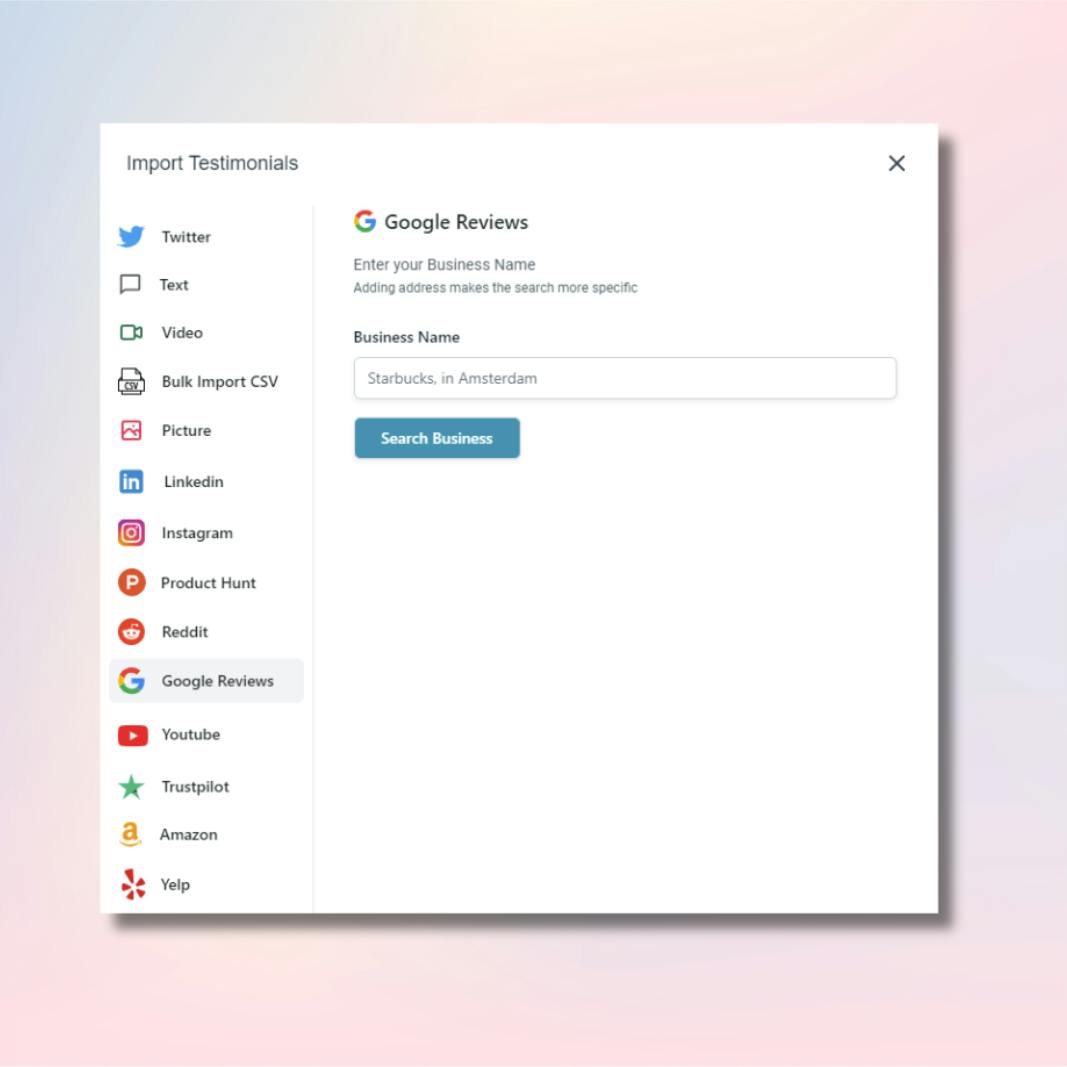
Search for Your Business
Type your business name into Famewall and it finds your Google Business listing. Add your city or address to narrow it down if your business name is common.
Create free accountPick the Reviews You Want
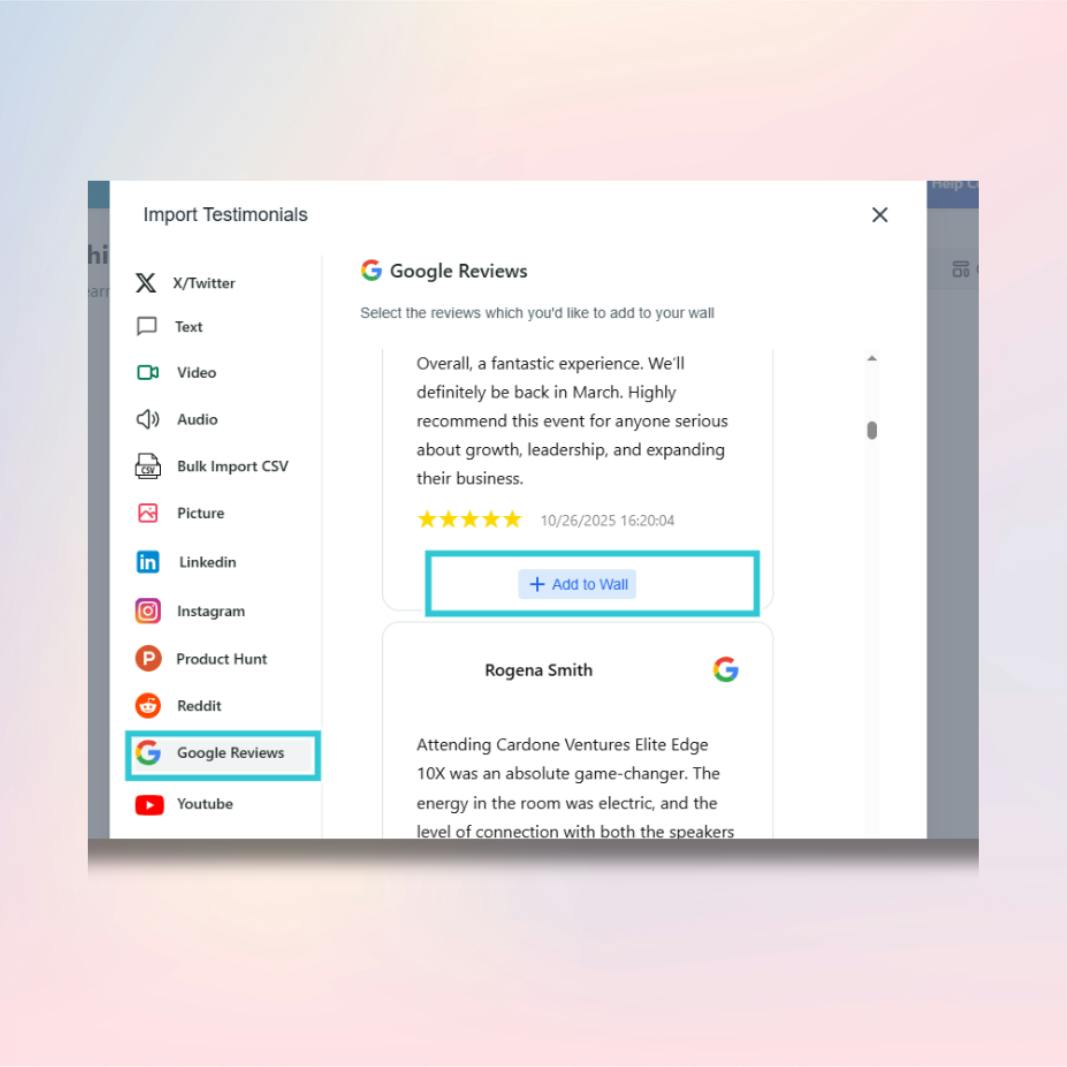
Famewall pulls in your Google reviews with the original star rating, reviewer name, and full text. You choose which ones to import. Nothing shows up on your site unless you approve it first.
Customize the Widget
Pick a layout: masonry grid, carousel, dual slider, popup, or quote cards. Then adjust colors, fonts, dark mode, star rating colors, and card backgrounds to match your site.
Paste the Embed Code
Famewall gives you a single embed snippet. Paste it into WordPress, Webflow, Shopify, Wix, Squarespace, Framer, or any site that accepts HTML. The widget renders in seconds.
That is the whole process. Most people finish in under five minutes.
Get Started for FREENo credit card required
How to Embed Google Reviews on Your Platform
Famewall works with every major website builder. Here is how to add your Google review widget on each one.

Google Reviews on WordPress
Open the page or post where you want reviews. Switch to the HTML editor or add a Custom HTML block in Gutenberg. Paste your Famewall embed code and hit Publish. Works with any theme, no plugin needed.
View WordPress guide
Google Reviews on Shopify
Go to Online Store > Themes > Customize. Add a Custom Liquid section or edit the template code. Paste the Famewall embed snippet wherever you want reviews to appear. No app install required.
View Shopify guide
Google Reviews on Webflow
Drag an Embed element onto your Webflow canvas. Paste the Famewall code inside. Publish the site and your Google reviews are live. The widget inherits your site fonts automatically.
View Webflow guide
Google Reviews on Wix
In the Wix Editor, click Add > Embed Code > Custom Element or use the HTML iframe component. Paste the Famewall snippet, adjust the size, and publish. No Wix app marketplace needed.
View Wix guide
Google Reviews on Squarespace
Edit your page, click Add Section, and choose Code from the block menu. Paste the Famewall embed code. Save and your Google reviews render inside your Squarespace layout with zero styling conflicts.
View Squarespace guideDon't see your platform? Famewall works with any site that accepts custom HTML, including Framer, Carrd, Ghost, Hugo, and static HTML pages.
Import Reviews Straight from Google
Search your business and import reviews with star ratings, reviewer names, and full text.
Pick which reviews to publish - no API keys, no copy-paste, and no developer help required
Multiple Widget Styles with Full Design Control
Choose from seven layouts (masonry, carousel, dual slider, popup, quote, and award cards) and customize colors, fonts, star styles, backgrounds, and dark mode.
Layouts adapt across desktop, tablet, and mobile.

Google Reviews + Every Other Source in One Widget
Combine Google reviews with testimonials from X, LinkedIn, Product Hunt, G2, Capterra, Trustpilot, and more.
Collect new testimonials via branded forms and show all sources in one unified widget.
AI Review Summary Above Your Widget
Famewall's AI analyzes your Google reviews and generates a concise summary with key themes, an overall rating, and total review count
Place it above the widget so visitors see the key takeaways at a glance.
One Embed Code, Any Website
Get one tiny embed snippet that works with WordPress, Webflow, Shopify, Wix, Squarespace, Framer, and any HTML-enabled site.
The widget renders instantly and updates automatically when you add new reviews
Google Review Widget Layouts for Every Page
Each layout is built for a different use case. Pick the one that fits your page and customize it from there.
Masonry Grid
Reviews stack in a Pinterest-style grid that handles different text lengths without awkward gaps. Good default choice for testimonial pages and review sections.
Carousel Slider
Reviews scroll horizontally on auto-play or manual navigation. Takes up a single row of space, so it works well in tight spots like headers or between sections.
Dual Slider
Two rows of reviews scroll in opposite directions. Fills the screen with social proof without requiring the visitor to click or scroll.
Popup Widget
A small floating notification that cycles through reviews in the corner of the screen. Visitors see social proof on every page without any layout changes.
Why Famewall Instead of Other Google Review Widgets?
Google doesn't offer its own embed code for reviews. Most third-party plugins scrape reviews automatically, give you zero control over what shows up, and look like they belong on a different website. Famewall takes a different approach.
You decide which reviews appear
Famewall imports your Google reviews and lets you pick which ones go on your site. No auto-scrapers pulling in a bad review you'd rather not highlight.
One widget for Google, Twitter, LinkedIn, and more
Most tools only handle one source. Famewall imports from Google, Twitter/X, LinkedIn, G2, Capterra, Trustpilot, Product Hunt, and more so all your reviews live in the same widget.
Full design control, not a generic box
Seven card styles. Custom colors, fonts, dark mode, and star rating colors. Your review widget looks like part of your site because you design it to.
One embed code for any website builder
WordPress, Webflow, Shopify, Wix, Squarespace, Framer, or raw HTML. You get one snippet that works everywhere. No platform-specific plugins to install or maintain.
Fast load, small footprint
The embed script loads asynchronously so it doesn't block your page. No heavy iframes or third-party stylesheets dragging things down.
Famewall vs Other Google Review Widgets
See how Famewall compares to the most common Google review widget tools.

| Feature | Famewall | Others |
|---|---|---|
| Free plan available | Yes | Limited or trial only |
| Number of layouts | 7+ | 3-5 |
| Multi-source support | Google, Twitter/X, LinkedIn, G2, Capterra, Trustpilot, Product Hunt & more | Usually 1-3 sources per widget |
| No API key needed | Yes | Not always |
| Review approval control | Yes | Rarely (most auto-sync everything) |
| Custom branding / styling | Full (colors, fonts, dark mode, card styles) | Basic to moderate |
| Testimonial collection forms | Yes | Usually not included |
| Pricing starts at | $0/mo | $5-29/mo |
Where to Put Your Google Review Widget
Reviews do the most work when placed where people make decisions. Here are the spots that matter.
What Famewall users say
One-stop solution to collect & display all your reviews with ease
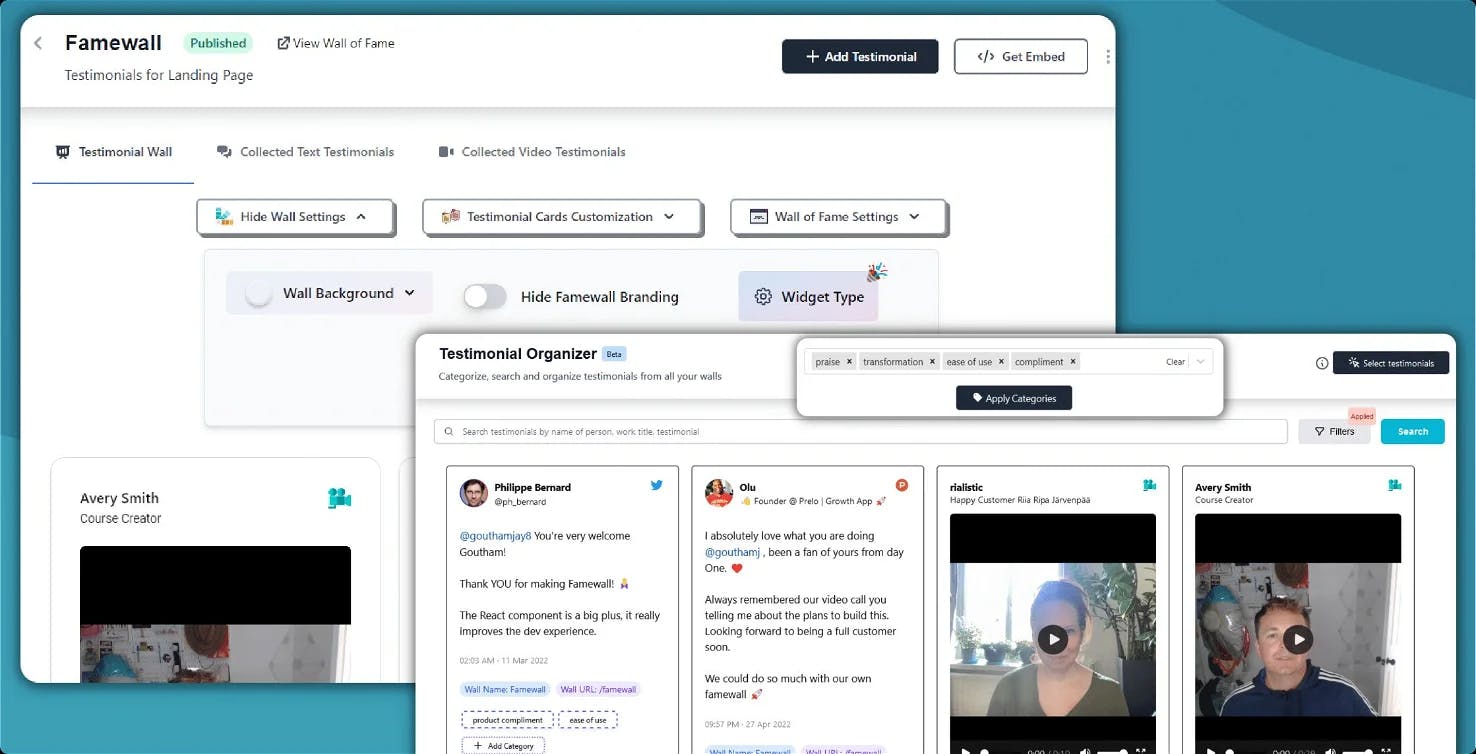
Manage reviews from customers, customize their appearance & display them in multiple ways across your website & social media with just a few clicks
You can collaborate with your team members in collecting & organizing reviews on Famewall
Customer Case Studies 🤩

And the best part is, it's SO easy to update on my website.
Also Famewall's customer support is super fast!"

People like to read real-life customer stories and Famewall allows me to share them in the most effortless way possible"

And I’m always preferential to a product where I can go directly to a creator and ask for new features.
That is always a HUGE bonus."
Supports 30+ platforms you love










Embed Google Reviews for Free
Famewall's free plan gives you everything you need to get started. Import your Google reviews, pick a layout, customize it, and embed on your site. No credit card, no API keys, no time limit.
The free plan stays free forever. Upgrade later only if you need more walls, want to remove Famewall branding, or want access to additional import sources.

- Import Google reviews at no cost
- Choose from all 7+ widget layouts
- Full customization: colors, fonts, dark mode, card styles
- Embed on any website builder
- No credit card required to start
- No API keys or developer setup
- Collect testimonials with a branded form
- Combine Google reviews with other sources
Frequently Asked Questions
Everything you need to know about embedding Google reviews on your site
You search for your business by name inside Famewall. It connects to Google Places, finds your listing, and fetches your public reviews. You pick which ones to import. Nothing appears on your website unless you approve it.
No. Famewall generates a short embed snippet you paste into your page. It works with WordPress, Webflow, Shopify, Wix, Squarespace, Framer, and any site that accepts custom HTML. If you can paste text, you can add the widget.
Yes. You get full control over card style, colors, fonts, dark or light mode, star rating colors, card backgrounds, and layout (grid, carousel, slider, or popup). The goal is for the widget to look like it belongs on your site, not like a third-party plugin.
Yes. Famewall imports from Google, Twitter/X, LinkedIn, Product Hunt, G2, Capterra, Trustpilot, and more. You can also collect new testimonials with branded forms. They all display together in one widget.
Imported reviews are saved to your Famewall wall. When you get new Google reviews, go to the import section, pull the latest batch, and pick the ones you want to add. This keeps you in control of exactly what shows on your site.
Famewall has a free plan you can start with right now. No credit card required. Upgrade later if you need more walls, branding removal, or additional import sources.
There's no fixed limit. Import as many as you want and the widget renders them in your chosen layout. If you have a lot, turn on pagination so the page stays clean and loads fast.
Every layout is fully responsive. Grid, carousel, slider, and popup widgets all adapt to the screen size automatically. No separate mobile configuration needed.
Yes. Famewall has a review banner feature that shows your average star rating and total review count. You can place it in your header, footer, sidebar, or above the main widget. Text, colors, and positioning are all customizable.
Have more questions? We're happy to help.
Contact us at contact@famewall.ioYou've got the reviews. Now put them on your site.
Set up a Google review widget in a few minutes. Free plan, no credit card.
The free plan stays free. Upgrade only if you need to.