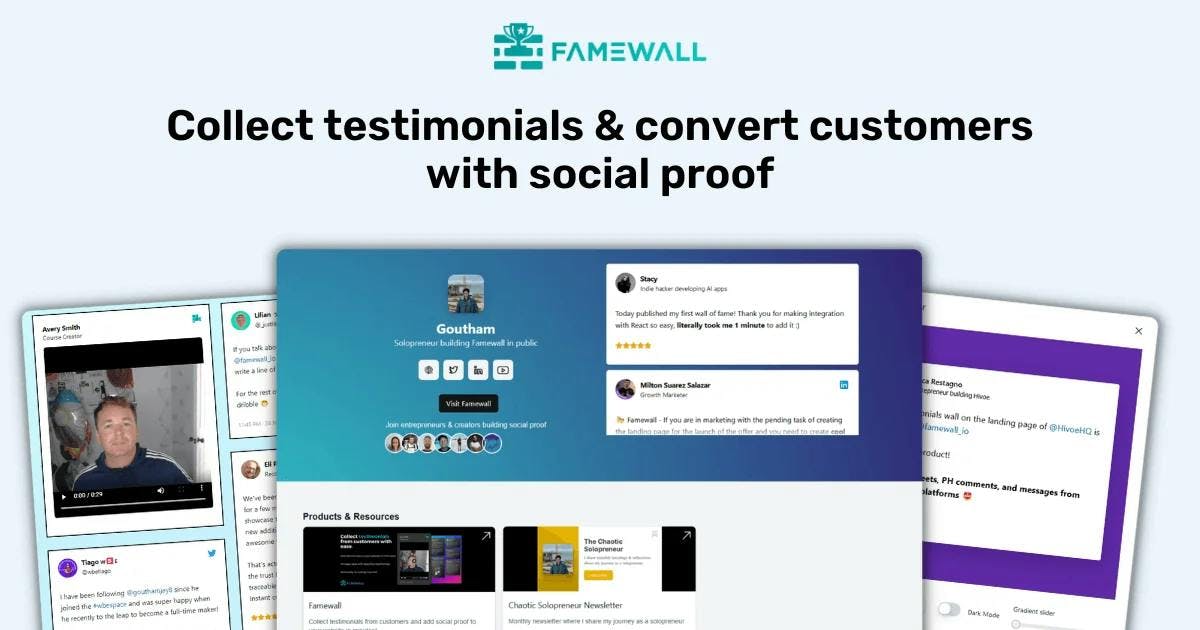
Client Testimonials: How to Collect & Display Them (2026 Guide)

When I was running my first business, I had testimonials everywhere.
Screenshots in a Google Drive folder. Nice comments buried in my inbox. A few tweets I'd bookmarked. A LinkedIn recommendation I forgot about.
I knew testimonials were supposed to help me get more customers.
But every time I tried to actually use them, I'd spend 20 minutes hunting through folders and still end up with a messy collection that didn't look professional.
That experience is exactly why I built Famewall.
But before I get into tools, let me share everything I've learned about collecting, managing, and displaying client testimonials without the awkwardness.

What Are Client Testimonials?
Let's keep this simple.
A client testimonial is when a happy customer says something nice about your business that you can share with potential customers.
That's it. It could be:
- A quote in an email
- A video they recorded
- A Google review
- A tweet praising your work
- A LinkedIn recommendation
The format doesn't matter as much as the authenticity.
Real words from real customers beat polished marketing copy every time.
Why Client Testimonials Actually Matter?
You've probably heard that testimonials are "important." But let me share some numbers that made me take them seriously:
- 77% of consumers regularly read reviews when browsing local businesses (BrightLocal)
- 79% trust online reviews as much as personal recommendations
- A study confirmed that a product going from 2.5 to 4.5 stars can double sales

Here's what this means in plain English:
When someone lands on your website, they're asking themselves: "Can I trust this person/company?"
Testimonials answer that question instantly. They're proof that you've delivered for others.
I've seen this firsthand.
One of my highest-converting pages has testimonials front and center.
Not because I'm a marketing genius, but because potential customers wanted to see that others had taken the leap first.
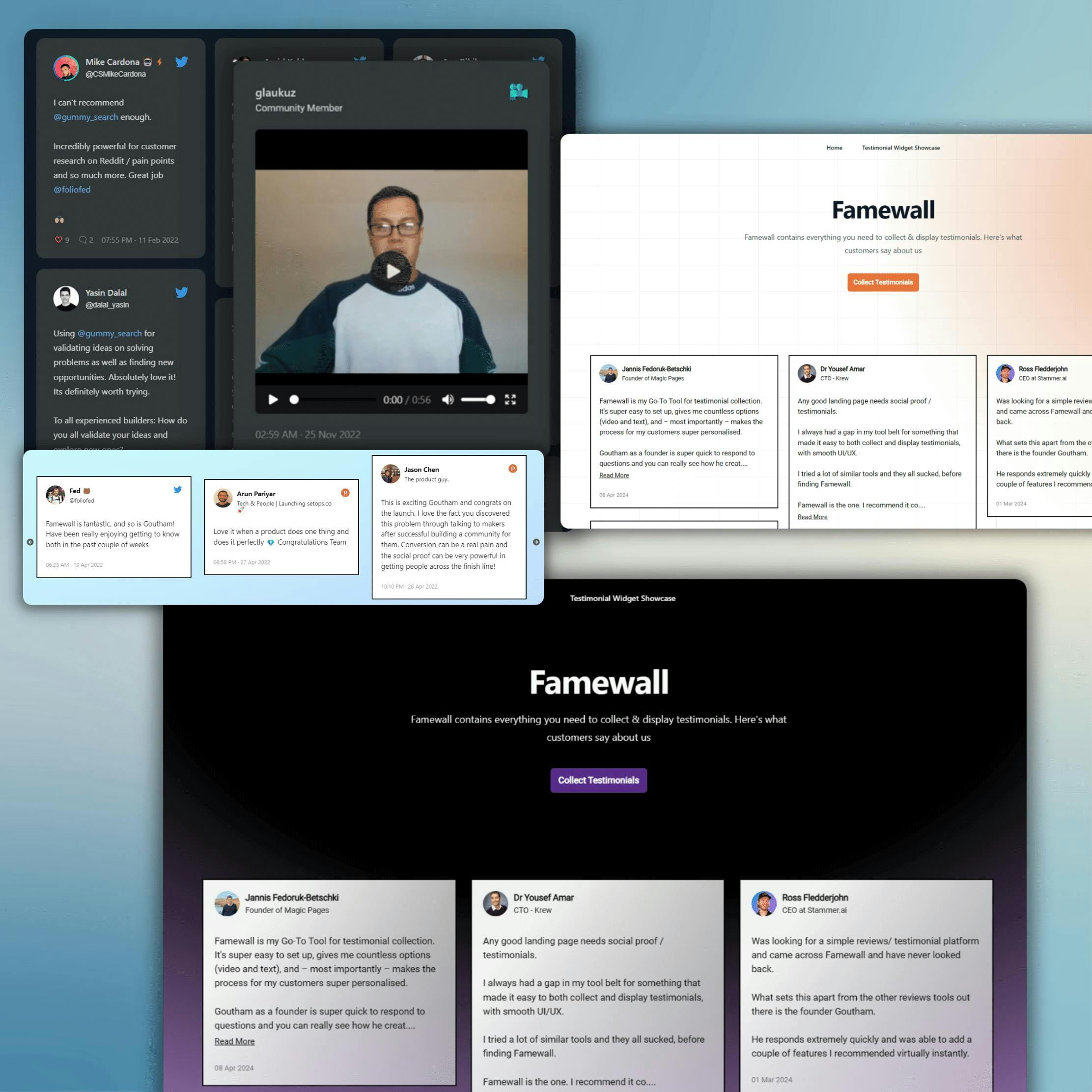
Check out these testimonial examples to see what high-converting testimonials look like across different industries.
The Real Problem is playing "Testimonial Tetris"
Before we talk about collecting testimonials, let me address something I see constantly.
Someone on a forum described it perfectly:

> "Between Google, X (Twitter), YouTube, and client emails, I feel like I'm playing testimonial Tetris. Manual copy-paste or some smart hack/tool you swear by?"
This is the hidden challenge nobody talks about.
You don't just need testimonials. You need a system to:
- Collect them from clients easily
- Import them from places they already exist (Google, Twitter, etc.)
- Manage them in one place
- Display them on your website without coding

Most articles skip this part and jump straight to "just ask your customers!"
But if you've ever hunted through your inbox for that one nice email someone sent you 6 months ago, you know the pain.
A good testimonial collection tool solves this by centralizing everything in one place.
I'll show you how to solve this later. First, let's talk about collection.
Types of Client Testimonials
Not all testimonials are created equal. Here are the main types:
1. Text Testimonials (Quotes)
The classic testimonial you see on most websites. It basically contains a few sentences from a happy customer.
Best for: Quick social proof, sprinkled throughout your website.
Example:
"Famewall made collecting testimonials dead simple. I went from zero to 15 testimonials in my first week.
- Sarah, Freelance Designer"

2. Video Testimonials
Videos convert more than text because people can see and hear real customers.
Best for: Landing pages, sales pages, building trust with skeptical buyers.
The challenge: Getting customers to actually record a video (more on this below).
According to video testimonial statistics, video testimonials can increase conversion rates by up to 80% compared to text alone.

3. Social Media Testimonials
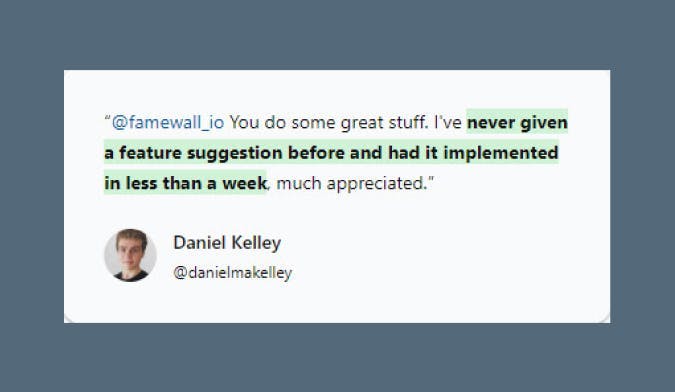
Tweets, LinkedIn comments, Instagram posts are all testimonials that already exist in the wild.
Best for: Social signals. These feel unscripted because they are.
Example: Screenshot a tweet where someone praised your product.
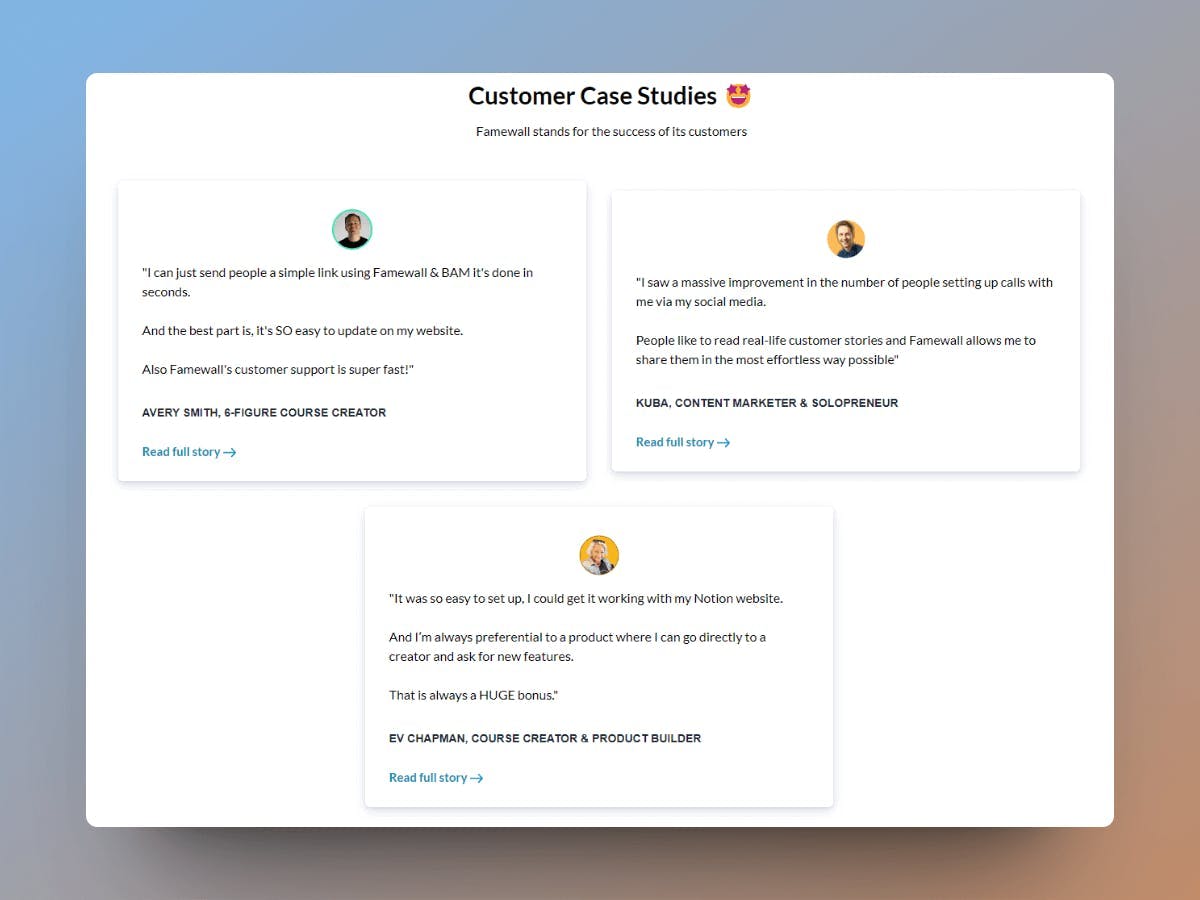
4. Case Studies
Detailed stories about how you helped a specific client achieve results.
Best for: High-ticket services, B2B sales, complex products.
Format: Problem → Solution → Results
5. Star Ratings & Reviews
Reviews from platforms like Google reviews, Yelp, G2, Capterra where your customers already leave feedback.
Best for: Local businesses, SaaS products, building credibility through numbers.

How to Ask for Testimonials (Without Feeling Awkward)
Here's the part nobody wants to talk about.
Asking for testimonials feels weird.
I've seen this question from customers multiple times:
> "Is asking for testimonials unprofessional? Like they might feel obligated to say something positive whether they felt that way or not."
Let me put your mind at ease: Asking for testimonials is completely normal.
Happy customers usually want to help you. They just need a little nudge.
Here's how to ask without feeling like you're begging:
The Simple Email Template
Send this 5-7 days after delivering your product or service:
Subject: Quick favor?
Hey [Name],
Hope you're enjoying [product/service]!
I have a small ask - if you have 2 minutes, would you mind leaving a quick testimonial about your experience?
Here's a link: [testimonial collection link]
No pressure at all. And if there's anything I can improve, I'd love to hear that too.
Thanks!
[Your name]

Why this works:
- It's short
- It's personal (not automated-sounding)
- It gives them an easy way to respond
- It opens the door for feedback (not just praise)
Not sure what questions to ask? Use the free testimonial questions generator to create personalized prompts.
Timing Matters
Don't ask too early. Wait until the customer has:
- Received the product/service
- Had time to use it
- Experienced the results
So when exactly should you ask?
For physical products: 5-7 days after delivery.
For services: After a milestone or successful outcome.

What If They Don't Respond?
Follow up once (and only once):
Subject: Re: Quick favor?
Hey [Name],
Just bumping this in case it got buried. Totally understand if you're busy — but if you have 60 seconds, a quick testimonial would mean a lot.
[Link]
Either way, thanks for being a customer!
[Your name]
If they don't respond after that, let it go. Some people won't leave testimonials, and that's okay.
How to Collect Video Testimonials (Step-by-Step)
Video testimonials work really well in terms of converting customers.
But getting them? That's where most people struggle.
The problem: Asking someone to record a video could feel like a bigger ask than it does for a text review.
Here's how to make it easy:
Step 1: Send a Personal Video First
Before asking for a video, record a short video message yourself.
Something like:
> "Hey [Name], just wanted to say thanks for being a customer. If you have a moment, I'd love to hear about your experience on video. It really helps other people trust us. No pressure!"
Why this works: You're modeling the behavior you want. If they see you on camera first, recording their own video feels more natural.

Step 2: Use a Simple Collection Tool
Don't ask customers to record a video, upload it somewhere, and send you a link.
That's too many steps.
Instead, send them a link where they can:
1. Click "Record"
2. Record a video
3. Submit
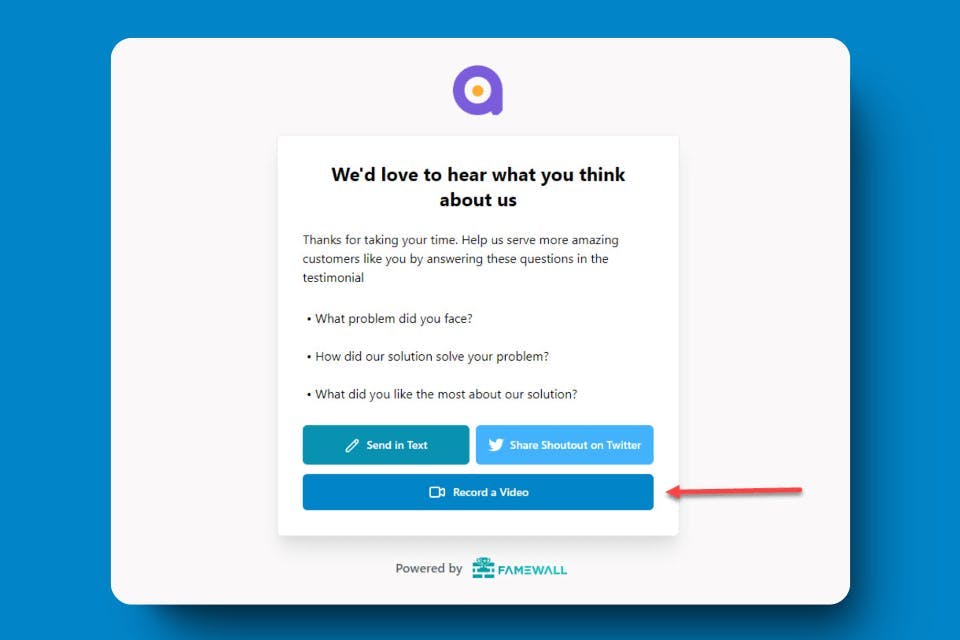
Tools like Famewall's video testimonial feature handle all of this.
The customer clicks a link, records directly in their browser, and you're notified when it's complete.
Step 3: Give Them Prompts
Most people freeze when faced with "just say whatever you want."
Give them 2-3 questions to answer:
- What problem were you facing before working with us?
- How has [product/service] helped you?
- What would you tell someone considering [product/service]?
This makes recording easier and gives you more useful testimonials that actually sell for you.
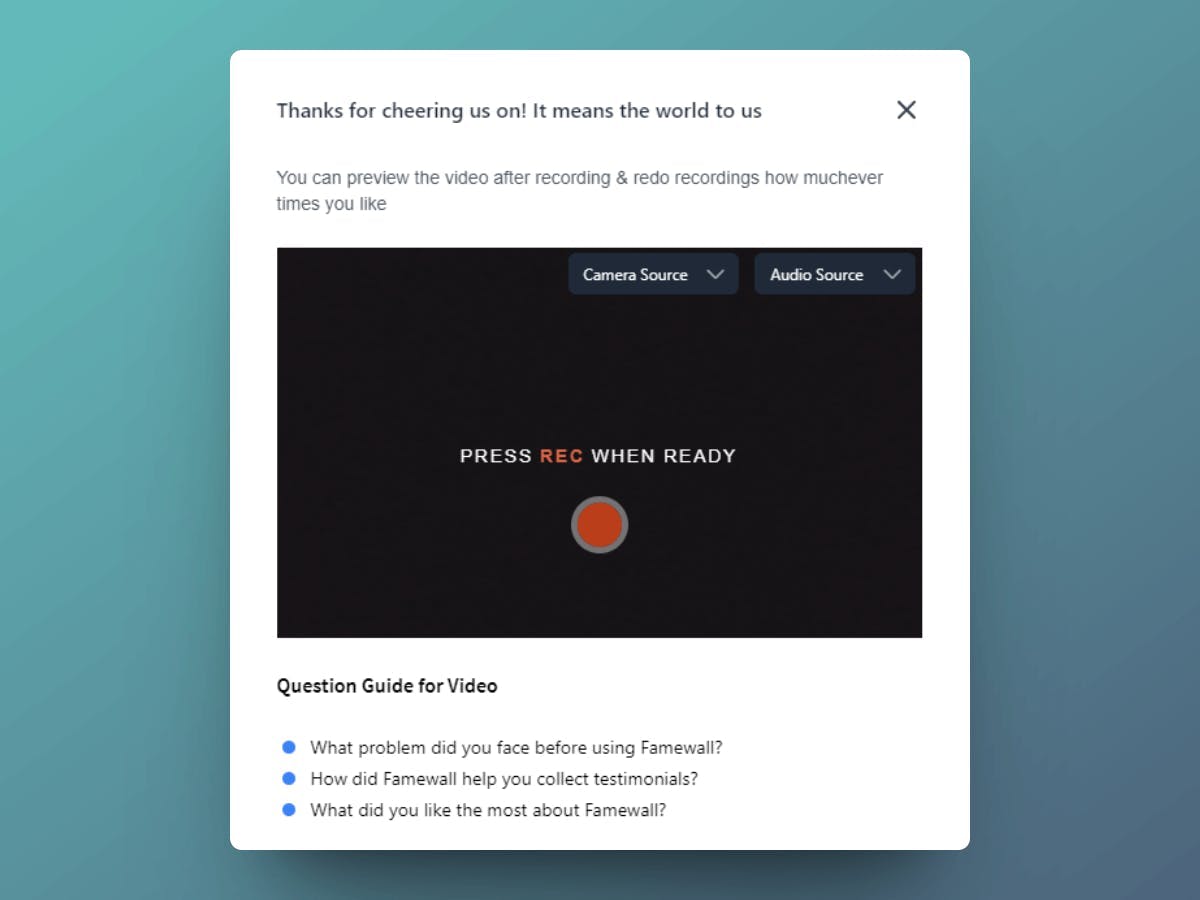
Step 4: Let Them Re-Record
People are self-conscious on camera. Let them do multiple takes until they're happy.
This small feature dramatically increases completion rates.

Getting Your First Testimonials (For New Businesses)
What if you're just starting out and don't have customers yet?
This is a common situation. Here's what I did - and what I recommend:
Option 1: Free or Discounted Work
Offer your product or service to a few people at a discount (or free) in exchange for honest feedback.
Be upfront about it:
> "I'm launching [product/service] and looking for 3 people to try it out for free. In return, I'd love your honest feedback and a testimonial if you're happy with it."
This works because:
- You're not asking for a favor. It's a fair trade
- They'll give honest feedback
- You get testimonials and early user insights
Option 2: Use Results From Past Work
If you're starting a new business but have relevant experience, use testimonials from previous work.
Example: Starting a freelance design business? Use feedback from projects at your old job (with permission) or side projects.
Option 3: Beta Testers
Launch a "beta" version and recruit testers. People love being early adopters, and they'll often give testimonials because they feel invested in your success.
How to Display Client Testimonials
Collecting testimonials is only half the battle. You also need to display them effectively.
Here's what works:
On Your Homepage
Put 2-3 strong testimonials above the fold or in a rotating carousel. First impressions matter.

On Product/Service Pages
Match testimonials to specific offerings.
If you're selling a coaching program, show testimonials from coaching clients. Not from people who bought a different product.
See how other coaches display testimonials for inspiration.
Dedicated Testimonials Page
Create a page that aggregates all your testimonials often called a Wall of Love. Link to it from your navigation.
This serves two purposes:
1. Visitors can browse social proof at their own pace
2. It shows you have lots of happy customers

In Your Sales Process
Use testimonials in:
- Email sequences
- Proposals
- Sales calls ("Here's what [similar client] said...")
On Social Media
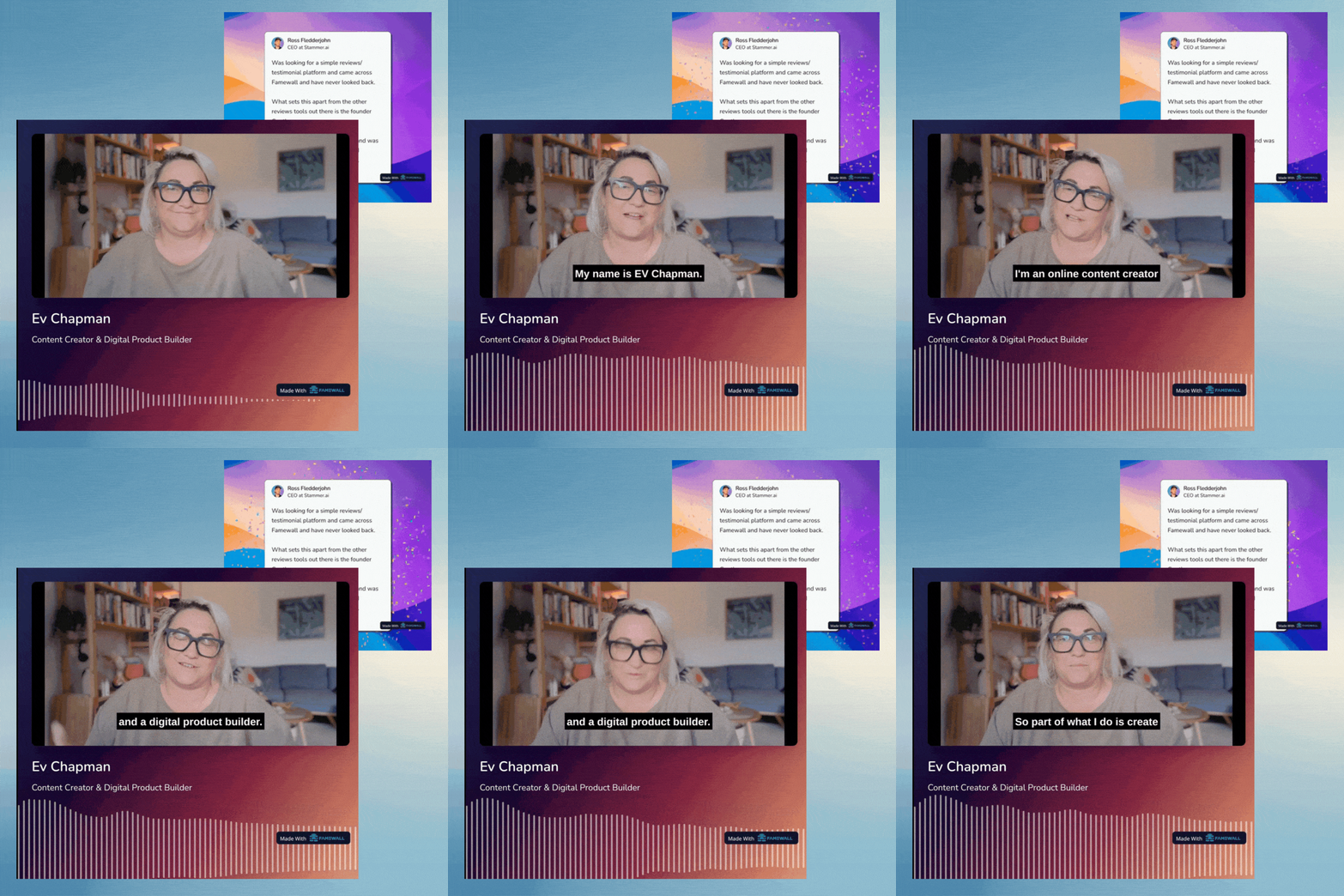
Turn text testimonials into graphics. Screenshot social testimonials. Share video testimonials as clips.
Tools to Manage It All
Let me be honest: I built Famewall because I couldn't find a tool that did everything I needed.
But here's what you should look for in any testimonial software:
Must-Haves:
1. Collection pages - Easy link to send clients for text or video testimonials
2. Import from social & platforms- Pull testimonials from Google, Twitter, LinkedIn, etc.
3. Organize by project - Group testimonials for different products or clients
4. Display widgets - Embed on your website without coding
5. Video hosting - If you're doing video testimonials, it should handle the hosting
Nice-to-Haves:
- Custom branding on collection pages
- Wall of Love pages
- Image/video export for social media
- Multiple team members

Why I Recommend Famewall
We built Famewall after painfully dealing with the problem of collecting testimonials & not being able to use them properly in marketing. So we made sure it was:
- Affordable - Check our pricing. It's designed to help you succeed first, hence a free plan to start.
- All-in-one - Collect, manage, and display in one place
- No code needed - Embed widgets in minutes
- Video testimonials made easy - Customers record right in the browser
- Import from 25+ sources - Google, Twitter, LinkedIn, CSV, etc.
See all integrations to directly integrate social proof on your website.

Key Takeaways
Let me wrap up with the essentials:
1. Client testimonials build trust: 77% of consumers read them before buying
2. The real challenge is organization: Scattered testimonials = missed opportunities
3. Asking isn't awkward: Happy customers want to help
4. Video testimonials convert: Make recording easy for your customers
5. Display testimonials everywhere: Homepage, product pages, social media
6. Use a system: Don't play "testimonial Tetris" forever
Whether you use Famewall or another tool, the key is to actually do something with the nice things customers say about you.
Those testimonials are lying in inboxes and DMs right now. Go collect them.
FAQ
How many testimonials do I need?
Quality beats quantity. 5-10 strong testimonials are better than 50 weak ones. But keep collecting as fresher testimonials are more credible.
Can I edit customer testimonials?
Minor edits for grammar are okay. Never change the meaning or make them sound more positive than they actually were.
Can I use testimonials without permission?
For public reviews (Google, Twitter), you can usually reshare. For private communications (email), always ask first.
What if I get a negative testimonial?
Don't publish it (obviously), but do learn from it. Reach out to understand what went wrong. Sometimes you can turn an unhappy customer into a happy one.
Try Famewall for free to collect reviews from customers & add them to your website in minutes without writing a single line of code!