How to add star ratings to Google Search | Review Rich Snippet (in under 2 minutes)?

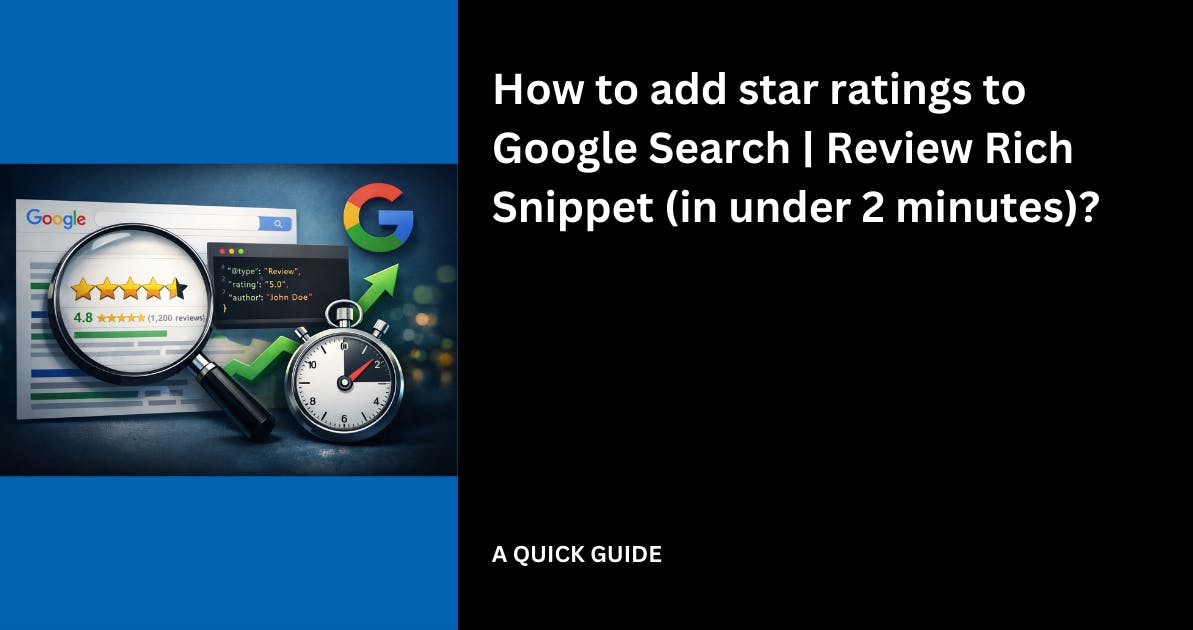
You've probably noticed some websites show star ratings directly in Google search results.
Those little yellow stars grab attention and make people more likely to click.

These are called review rich snippets and they can increase your click-through rate by up to 35%.
The good news? Adding star ratings to your Google search results isn't complicated.
You just need to add a small piece of code called review schema markup to your website.
In this guide, I'll show you exactly how to do it in a few minutes - no technical background required.
What Are Star Ratings in Google Search?
When someone searches for your business or website, Google sometimes displays extra information below your link.
This can include star ratings, review counts, and other helpful details.
Here's what it looks like:

Those stars come from structured data, which is a way of telling Google what your content means, not just what it says.
When you add review schema to your website, you're giving Google the information it needs to display those star ratings.
How to Add Review Schema to Your Website
The advantage of using Famewall is that it automatically updates the star rating as you collect reviews from your customers
It is just a one-time setup and doesn't require any future updates from you.
Use Famewall's Automatic Review Schema Generator (Easiest)
If you're already collecting testimonials, Famewall can automatically generate the review schema code for you.
Step 1: Create a Testimonial Wall
Head over to Famewall and create a free account.
Then create a testimonial wall to collect and display your customer reviews.

Step 2: Collect or Import Testimonials
Add testimonials from your customers. You can:
- Send a testimonial request link to customers
- Import reviews from Google Business, Trustpilot, Twitter, LinkedIn, or other platforms

Step 3: Get Your Review Schema Code
Once you have testimonials on your wall, go to the "Schema Snippet" section in your dashboard.
Famewall automatically calculates your average rating and generates the schema markup code.

Step 4: Copy and Paste the Code
Copy the generated code and paste it into the `<head>` section of your website. The code looks something like this:

Step 5: Test Your Schema
Use Google's Rich Results Test to verify the code is working correctly.
Just enter your page URL, and Google will show you what rich snippets it can detect.

Step 6: Wait for Google to Index
After adding the code, it typically takes 2-4 weeks for Google to crawl your site and start displaying the star ratings in search results.

Where to Add the Schema Code?
The review schema code should go in the `<head>` section of your HTML. Here's how to do it on popular platforms:
WordPress
1. Install a plugin like "Insert Headers and Footers"
2. Paste the code in the header section
3. Save changes
Webflow
1. Go to Project Settings → Custom Code
2. Paste the code in the "Head Code" section
3. Publish your site
Shopify
1. Go to Online Store → Themes → Edit Code
2. Find `theme.liquid`
3. Paste the code before the closing `</head>` tag
Squarespace
1. Go to Settings → Advanced → Code Injection
2. Paste the code in the Header section
3. Save
HTML Website
Simply paste the code between the `<head>` and `</head>` tags of your HTML file.
How to Test Your Review Schema
Before waiting for Google to find your schema, test it yourself:
1. Go to Google's Rich Results Test

2. Enter your page URL

3. Click "Test URL"

4. Check if "Review snippet" or "Aggregate Rating" appears in the results
If the test shows your schema is valid, you're all set.
If there are errors, the tool will tell you exactly what to fix.
How Long Until Star Ratings Appear?
After adding the review schema to your website:
- Google crawls your site - This can take a few days to a few weeks
- Schema is validated - Google checks if your markup is correct
- Stars appear in search - Typically 2-4 weeks after implementation
You can speed up the process by:
- Submitting your URL in Google Search Console
- Making sure your site is regularly crawled
- Having valid, accurate review data
Important: Google doesn't guarantee they'll show star ratings for every page.
They decide based on their own criteria. But having valid schema markup gives you the best chance.
Why Star Ratings in Search Results Matter
Adding star ratings to your search results isn't just about looking good. Here's why it matters:
- Higher click-through rates - Pages with star ratings get up to 35% more clicks
- Stand out from competitors - Most search results don't have stars, so yours will grab attention
- Build trust instantly - People associate stars with credibility before they even visit your site
- Better conversion rates - Visitors who click on starred results will trust you
Frequently Asked Questions (FAQ)
Do star ratings guarantee more clicks?
Star ratings typically increase click-through rates, but results vary.
Pages with stars tend to get 20-35% more clicks than those without, but it depends on your industry and competition.
Can I add star ratings to any website?
Yes, as long as you can add custom code to your site's HTML.
Most website platforms (WordPress, Webflow, Shopify, Squarespace, etc.) allow this.
How many reviews do I need?
There's no minimum, but having at least 5-10 reviews looks more credible. A single 5-star rating might seem suspicious to visitors.
Will Google always show my star ratings?
No. Google decides whether to display rich snippets based on their own guidelines. Valid schema markup improves your chances but doesn't guarantee display.
Can I use star ratings for product pages?
Yes! You can use Product schema with aggregate ratings for e-commerce product pages. The process is similar but uses a different schema type.
Is review schema the same as testimonial schema?
They're closely related. Review schema is the structured data format, and it works perfectly for testimonials. When you add testimonials with ratings to your site and implement the schema, Google can display those as star ratings.
How do I update my star ratings when I get new reviews?
If you're using Famewall, the schema updates automatically when you add new testimonials. For manual implementations, you'll need to update the `ratingValue` and `ratingCount` in your code whenever your reviews change.
Start Showing Star Ratings in Google Search
Adding star ratings to your Google search results is one of the easiest ways to stand out and get more clicks. Whether you use a tool like Famewall to generate the code automatically or add it manually yourself, the process takes just a few minutes.
Related guides:
- How to Add Google Reviews to Your Website
Try Famewall for free to collect testimonials from your customers and add social proof to your website without writing any code.
See your sales increase with the power of word of mouth!